How to Draw a Signature Online and Save It as a PNG
Draw your signature with a mouse or a finger, then save it as a PNG with a white or transparent background. Nothing is uploaded.
2 min read
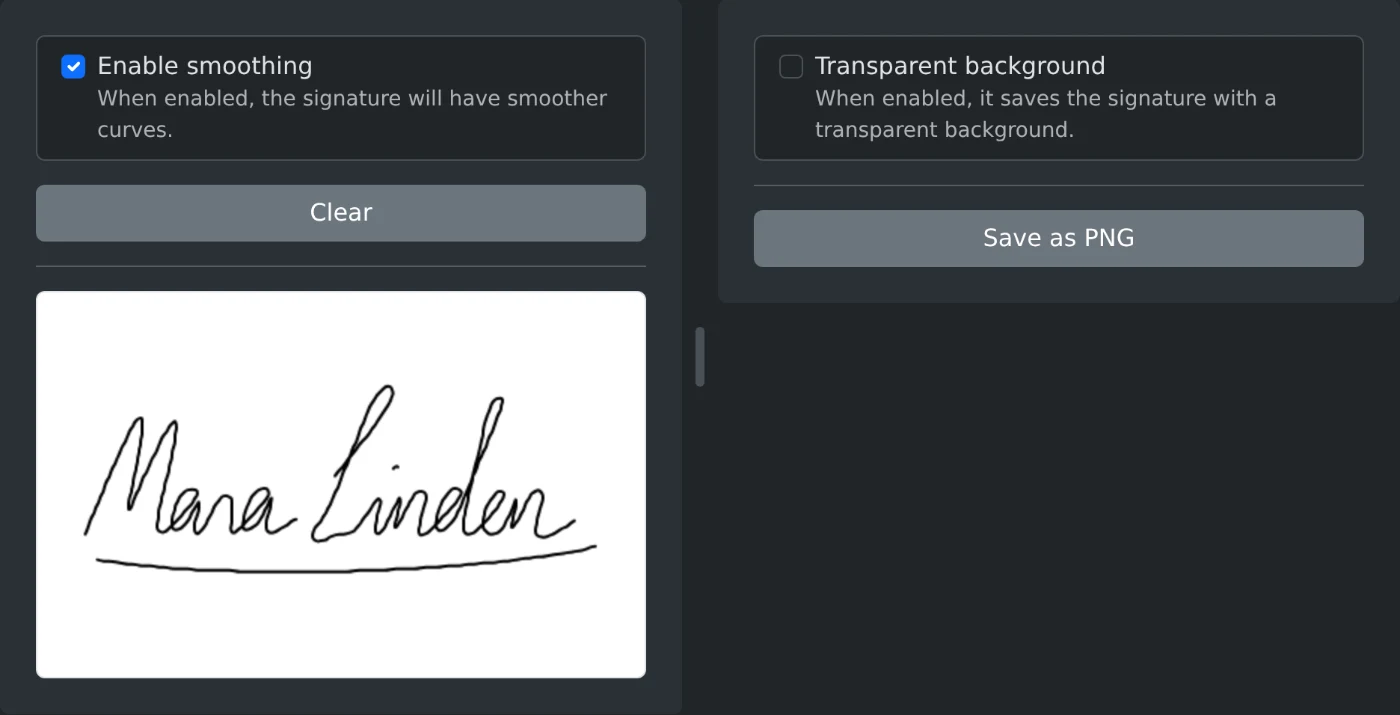
To create a signature online, open the Signature Drawing Pad and sign on the white pad with your mouse or your finger. Tick "Transparent background" if you want no white box around it. Then click "Save as PNG". The signature is drawn and saved in your browser and is never uploaded.
How to draw and save the signature
- Hold the mouse button down and sign on the white pad. On a phone or tablet, sign with your finger.
- Lift and press again for each new part, such as a second name or the dot of an i.
- Click "Clear" if you do not like the result, and sign again.
- Tick "Transparent background" if you need it.
- Click "Save as PNG".
The file is saved as signature followed by a number, for example signature-1792561234567.png.
White or transparent background
The PNG has a white background by default. This is fine for a white page.
Tick "Transparent background" when the signature goes on top of something else, such as a form line, a colored page or a scanned document. Only the black lines are saved, so the page shows through around them.
How to get clean lines
"Enable smoothing" is on by default and makes the curves smoother. Turn it off if you want the exact path of your hand. The pad redraws the signature right away, so you can compare both looks before you save.
Sign slowly and use most of the pad, so the letters are large and easy to read.
Before you save
- The ink is always black and the same width. There is no color or pen size setting.
- There is no undo. "Clear" removes the whole signature.
- The PNG has the size of the pad on your screen, 250 pixels tall. The empty space around the signature is included.
- "Clear" and "Save as PNG" work only after you draw something.
Sign once, pick the background, and save the PNG for your next document.
Ready to try it yourself?
Area per disegnare una firma
Disegna la firma sulla tavola e salvala come immagine.