How to Spin a Wheel to Pick a Random Name
Type names or options into a spin wheel, click to spin, and read the winner when it stops. Use it to pick who goes first, a raffle winner or lunch.
3 min read
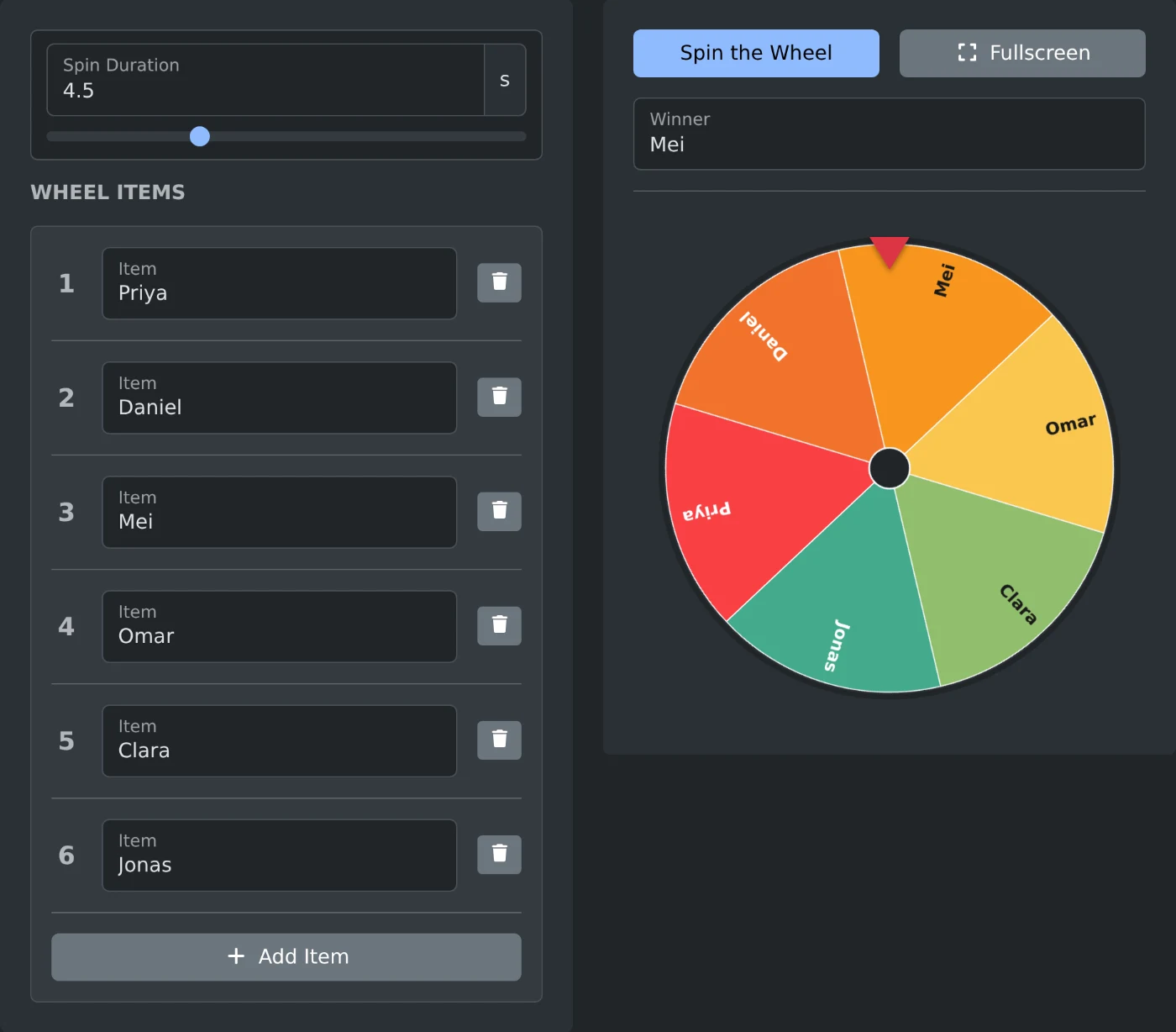
To pick a random name with a spin wheel, open the spin wheel generator and type each name in an "Item" field. Click "Spin the Wheel". When the wheel stops, the name under the red pointer at the top is the winner, and it also shows in the "Winner" field. Every entry gets a colored segment of the same size.
The wheel works for any short list: who presents first in a team meeting, a raffle winner, or where to go for lunch. Share your screen or use full screen so the room sees the spin.
How to make the wheel
- Type the first name in the "Item" field under "Wheel Items".
- Click "Add Item" for each other name and type it in the new row.
- Check the wheel. It changes as you type.
- Click "Spin the Wheel". The button shows "Spinning..." while the wheel turns.
- Read the name in the "Winner" field.
The spin button stays off until two entries are filled in. With only one entry, you see "Add at least 2 items to spin the wheel." Empty rows are left off the wheel.
To try the wheel first, click "Insert sample" in the bar above it. It fills in Option 1, Option 2 and Option 3.
How to pick the next person
Click "Spin the Wheel" again for a new result. The winner field clears and the wheel turns again. The same name can win twice in a row.
To pick an order with no repeats, remove the winner after each spin. Click the trash button on that row, then spin again. The list always keeps one row, so the last name stays.
An entry typed twice gets two segments. It is then twice as likely to win.
How to change the spin
Move the "Spin Duration" slider to make the spin shorter or longer. It goes from 2 to 10 seconds in half second steps. The default is 4.5 seconds, and a double click on the slider sets it back. The winner is picked when you click, so the duration only changes how long everyone watches.
Long entries are shortened on the wheel and end with "…". The "Winner" field always shows the full text. Short names or first names are easier to read on the wheel.
How to show the wheel to a room
Click "Fullscreen" to fill the screen with the wheel, for example on a projector or a shared screen in a video call. A large "Spin the Wheel" button sits under the wheel there. Press Esc to go back.
The entries are kept only while the page is open. A reload clears them, so type the list again for the next meeting.
Type the names, spin, and let the wheel decide who goes first.
Ready to try it yourself?
Spin Wheel Generator
Create a customizable spin wheel to randomly pick a winner from a list of items. Perfect for giveaways, raffles, and decision making.