How to Compress a Video Without Uploading It
Make a phone video smaller for email, chat or an upload limit. Pick a compression level or type a size in MB, then download an MP4.
2 min read
Make a video file smaller with a compression level or a target size in MB, and lower its resolution if you like. Saves an MP4 that plays everywhere, right in your browser.
Video compression makes a video file smaller by storing the picture more efficiently. An encoder such as H.264 keeps what changes from frame to frame and throws away detail the eye is unlikely to miss. The more it throws away, the smaller the file and the softer the picture. Phones and cameras record at a high bitrate to keep every detail, so their videos can often be made several times smaller without a visible difference.
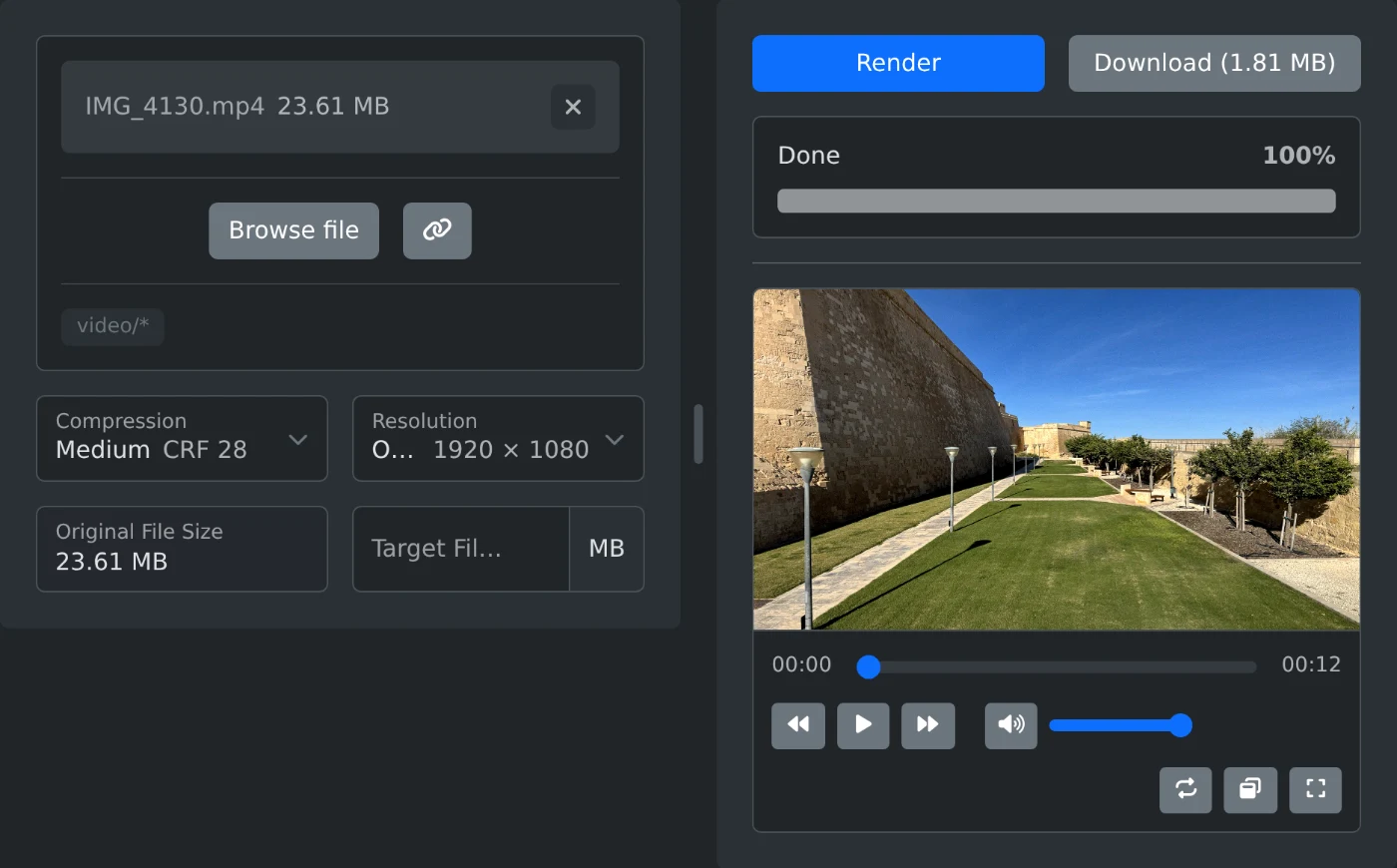
This tool compresses a video in your browser. Pick a compression level, or enter the file size you need, such as the limit of an email or chat app, and download the smaller video as an MP4. You can also lower the resolution, which saves the most space on large videos. Nothing is uploaded: the video is processed on your device with FFmpeg compiled to WebAssembly.
Each compression level is a constant rate factor (CRF) for the x264 encoder: Light is CRF 24, Medium is CRF 28, and Strong is CRF 32. The encoder keeps the quality steady and spends more bits on busy scenes and fewer on calm ones, so the final size depends on the video. Every 6 steps of CRF roughly halves the file.
With a target file size, the tool divides the size by the length of the video to get a bitrate and encodes at that average instead. It aims about 8% below the target, because the encoder and the MP4 container can go a few percent over, most on short clips. Audio gets 128 kbps, or 64 kbps when the target is tight, and the rest goes to the picture. When the target leaves less than 100 kbps for the picture, the tool asks for a larger one.
The resolution menu only lists sizes smaller than the video and shows the exact size each one gives. They apply to the short side, so 720p makes a landscape video 1280 × 720 and a portrait one 720 × 1280.
Make a phone video smaller for email, chat or an upload limit. Pick a compression level or type a size in MB, then download an MP4.
2 min read