How to Extract Text From an Image in Your Browser
Copy the text from a photo, screenshot or scan in 19 languages. Pick the language, extract the text, then copy it or save it as a TXT file.
2 min read
Extract text from images directly in your browser using Tesseract.js OCR engine. Supports 19 languages including English, Russian, Chinese, Japanese, Arabic, and more.
Optical Character Recognition (OCR) is the technology that converts images containing text into machine-readable characters. It works by analyzing the shapes and patterns in an image and matching them against known character representations. OCR is widely used to digitize printed documents, extract text from photos, and make scanned content searchable or editable.
Modern browser-based OCR uses trained neural network models that run entirely on your device. This means your images are never sent to a server - recognition happens locally using your CPU.
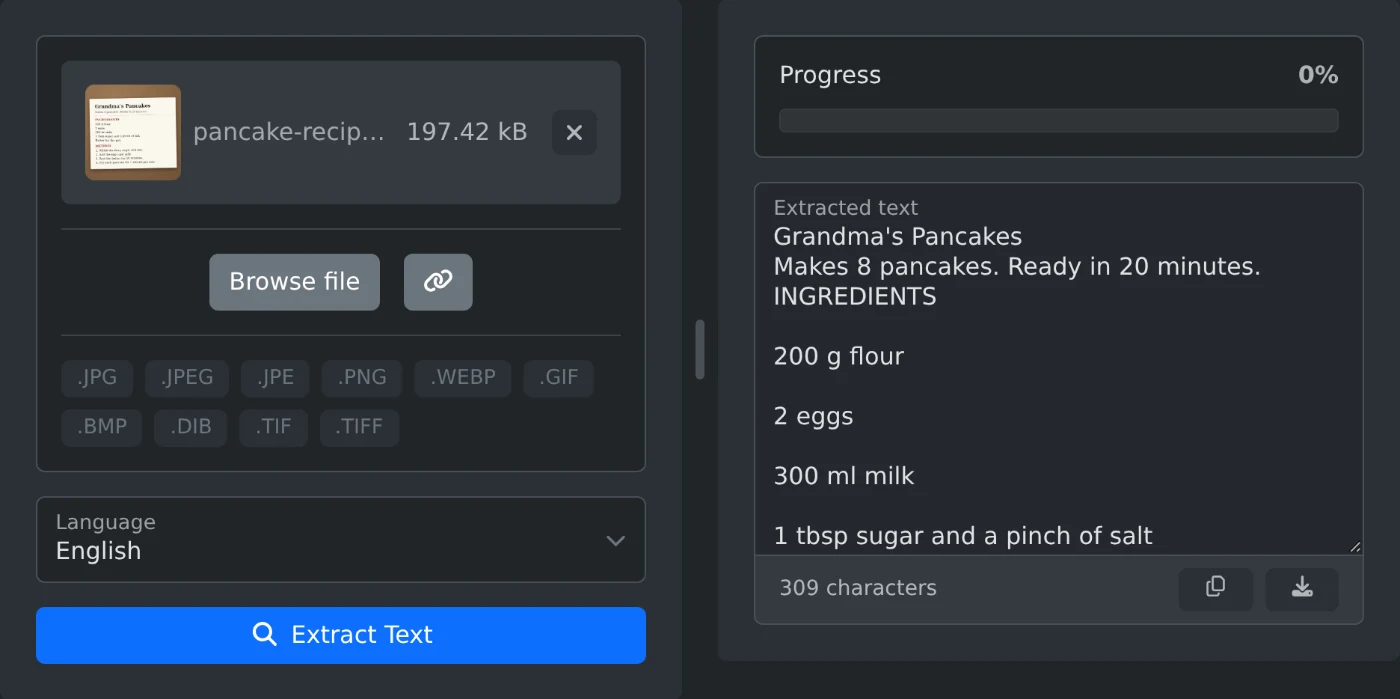
This tool extracts text from images directly in your browser using the Tesseract.js OCR engine. Upload a photo, screenshot, or scanned document, choose the language of the text, and click Extract Text. The recognized text appears in the output area, where you can copy it to the clipboard or download it as a .txt file. No installation, no uploads, no internet connection required after the page loads.
| Format | Extensions |
|---|---|
| JPEG | .jpg, .jpeg |
| PNG | .png |
| WebP | .webp |
| GIF | .gif |
| BMP | .bmp |
| TIFF | .tif, .tiff |
| Language | Code |
|---|---|
| English | eng |
| Russian | rus |
| French | fra |
| German | deu |
| Italian | ita |
| Spanish | spa |
| Portuguese | por |
| Dutch | nld |
| Polish | pol |
| Arabic | ara |
| Chinese (Simplified) | chi_sim |
| Chinese (Traditional) | chi_tra |
| Japanese | jpn |
| Korean | kor |
| Hindi | hin |
| Turkish | tur |
| Swedish | swe |
| Norwegian | nor |
| Finnish | fin |
Copy the text from a photo, screenshot or scan in 19 languages. Pick the language, extract the text, then copy it or save it as a TXT file.
2 min read