How to Check JSON-LD Structured Data on a Web Page
Check the JSON-LD on any web page for errors and missing fields, see each schema.org item it describes, and read the JSON of every block.
3 min read
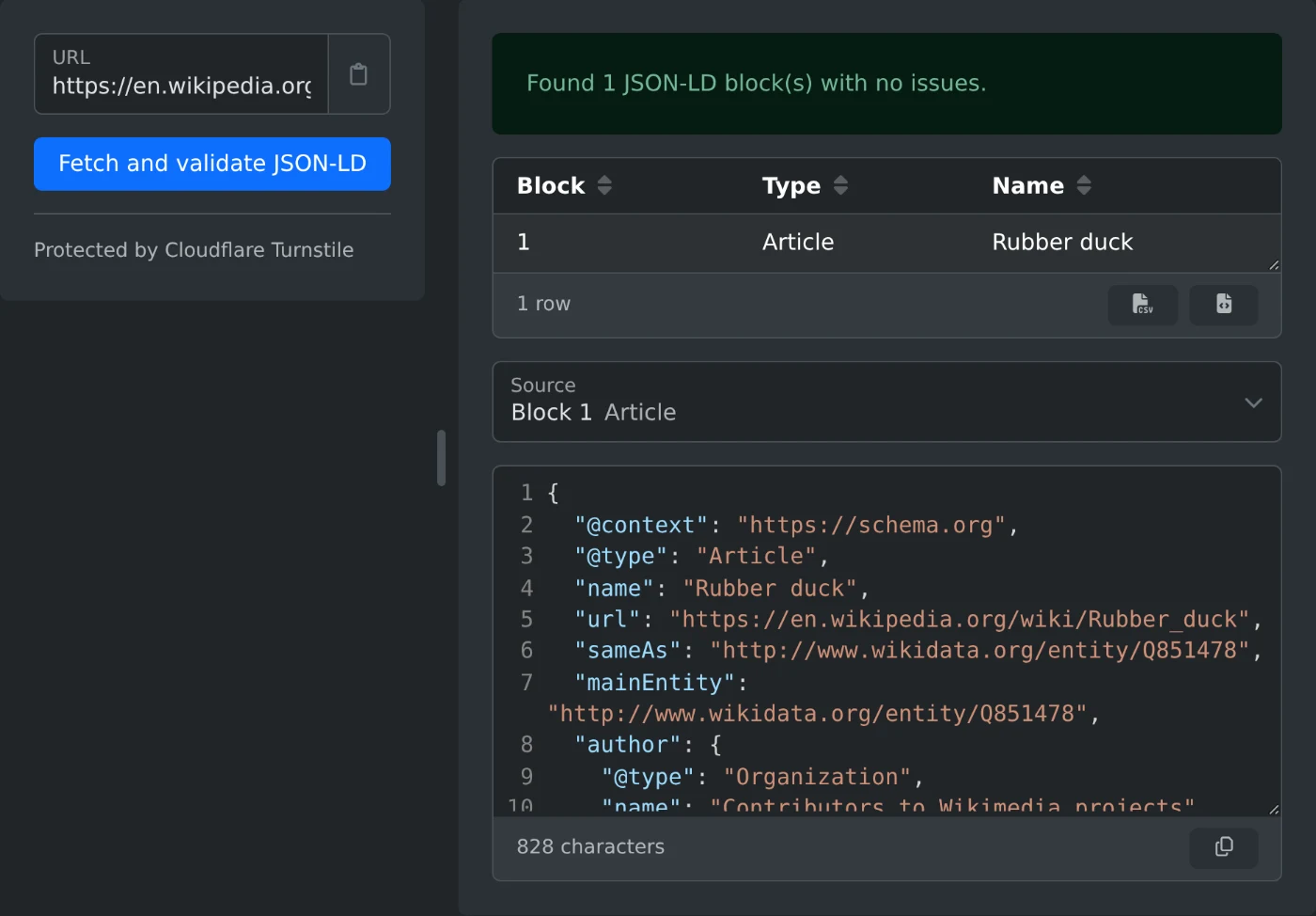
Enter a URL and the server fetches the page, extracts every JSON-LD structured data block, and checks it for JSON syntax errors, missing @context and @type, unknown schema.org types and properties, and fields Google needs for rich results.
Protected by Cloudflare Turnstile
| Block | Type | Name |
|---|---|---|
| No structured data items found. | ||
JSON-LD (JavaScript Object Notation for Linked Data) is the format search engines recommend for structured data. A page adds a <script type="application/ld+json"> block that describes what the page is about, such as a product with its price, an article with its author, or an organization with its logo, using types and properties from the schema.org vocabulary. Google, Bing, and other search engines read these blocks to show rich results like star ratings, prices, breadcrumbs, and recipe cards.
Mistakes in JSON-LD fail silently. The page still loads, but a missing comma, a misspelled type, or a missing required field means search engines ignore the markup or the page loses its rich result.
This tool fetches a page's HTML on the server, finds every JSON-LD script block, and checks each one in two steps. First it checks the JSON-LD itself: that the JSON parses, that each item has an @context pointing at schema.org and an @type, and that keywords such as @type and @id are spelled and shaped correctly. Then it checks the content against the schema.org vocabulary and Google's rich result rules, reporting unknown types, properties that don't belong to a type, and required or recommended fields that are missing or have the wrong format.
<head> or <body>@context, @type, @id, @graph, and keyword spellingThe page is downloaded without following redirects, and at most its first 3 MB are read. Each JSON-LD block is parsed separately, and items inside an @graph are checked as separate items. The schema.org checks use a copy of the full schema.org vocabulary, and the Google rich result checks use Adobe's open source structured data validator.
@type works, @Type does not.url, image, and logo, and ISO 8601 dates such as 2026-09-25 or 2026-09-25T10:00:00+02:00.Check the JSON-LD on any web page for errors and missing fields, see each schema.org item it describes, and read the JSON of every block.
3 min read