Wedding Invite Card Generator
Create beautiful custom wedding invitation cards with customizable styles, colors, and text
Input
Output
Screenshots
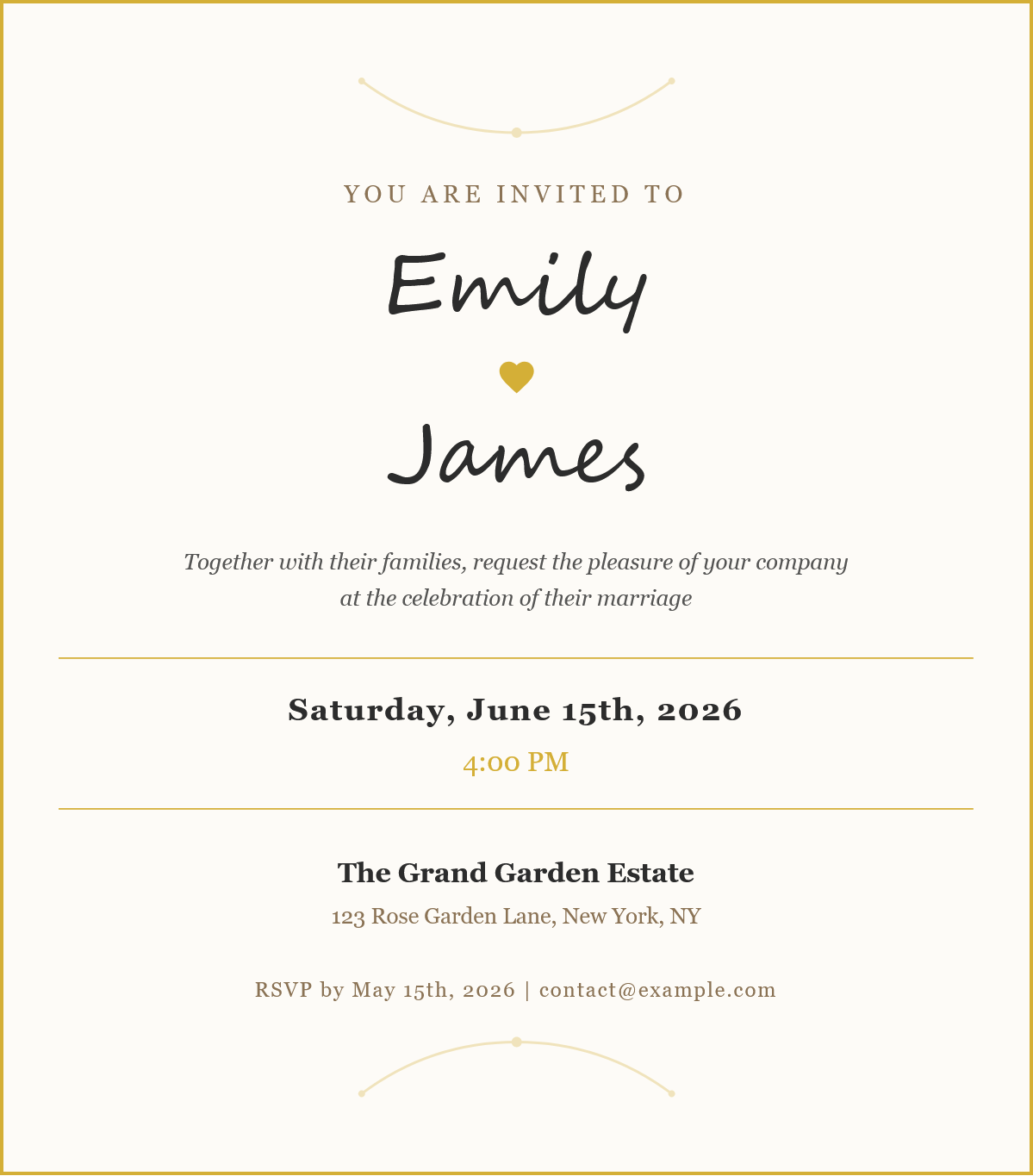
Readme
What is a wedding invitation card?
A wedding invitation is a formal announcement sent to guests inviting them to attend a wedding ceremony and celebration. It serves both practical and ceremonial purposes-providing essential details like date, time, and venue while also setting the tone and theme for the wedding day. Traditionally printed on elegant stationery, modern wedding invitations increasingly take digital forms, making them easier to customize, share, and produce without the costs of professional printing.
Wedding invitations typically include the names of the couple, a warm invitation message, the ceremony date and time, venue location, and RSVP information. The design often reflects the wedding's style-from classic and elegant to rustic or modern-through careful selection of colors, typography, and decorative elements like ornaments and flourishes.
Tool description
The Wedding Invite Card Generator is an online tool that allows you to create beautiful, personalized wedding invitation cards directly in your browser. Design elegant invitations with customizable text, colors, and decorative elements, then download them as high-quality images or print them instantly. No design software or graphic design experience required-simply fill in your details and generate professional-looking wedding cards in minutes.
Features
- Fully customizable text fields - Personalize bride and groom names, wedding date and time, venue details, invitation message, and RSVP information to match your specific wedding details
- Elegant design elements - Toggle decorative ornaments and heart icons on or off to achieve your desired aesthetic, from ornate and romantic to clean and minimalist
- Complete color customization - Adjust five distinct color settings (primary accent, secondary accent, background, text, and border) to match your wedding theme or color palette
Customization options
Text fields
| Field | Description |
|---|---|
| Bride's first name | The bride's name displayed prominently on the invitation |
| Groom's first name | The groom's name displayed prominently on the invitation |
| Wedding date | Full date of the wedding (e.g., "Saturday, June 15th, 2026") |
| Wedding time | Ceremony start time (e.g., "4:00 PM") |
| Venue | Name of the wedding venue |
| Venue address | Full address of the ceremony location |
| Invitation text | The formal invitation message requesting guests' presence |
| RSVP text | Contact information and response deadline |
Design options
| Option | Description |
|---|---|
| Show ornaments | Adds decorative flourish elements at the top and bottom of the card |
| Show hearts | Displays a heart icon between the couple's names (replaces "&" symbol when disabled) |
| Show rounded corners | Applies rounded corners to the card border for a softer look |
Color settings
| Color | Default | Purpose |
|---|---|---|
| Primary color | Gold (#d4af37) | Accent elements, ornaments, and decorative details |
| Secondary color | Brown (#8b7355) | Subheadings and secondary text elements |
| Background color | Cream (#fdfbf7) | Card background |
| Text color | Dark gray (#2c2c2c) | Main text and names |
| Border color | Gold (#d4af37) | Card border |
Output specifications
- Image dimensions: 600px width (1200px at 2x resolution for download)
- Supported formats: PNG (recommended for transparency), JPEG (smaller file size)
- Print quality: High resolution (2x pixel ratio) suitable for standard invitation sizes
- Typography: Elegant serif fonts (Georgia, Times New Roman) with script accents (Brush Script MT)
Tips for best results
- Keep names short - First names work best for the elegant script typography; very long names may need font size adjustments
- Match your wedding colors - Use your actual wedding color palette for a cohesive look across all materials
- Preview before downloading - The live preview shows exactly how your invitation will appear
- Use PNG for digital sharing - PNG format preserves quality better for screens and social media
- Print a test copy first - Before printing multiple copies, print a single test to verify colors and sizing on your specific printer