PDF Merger
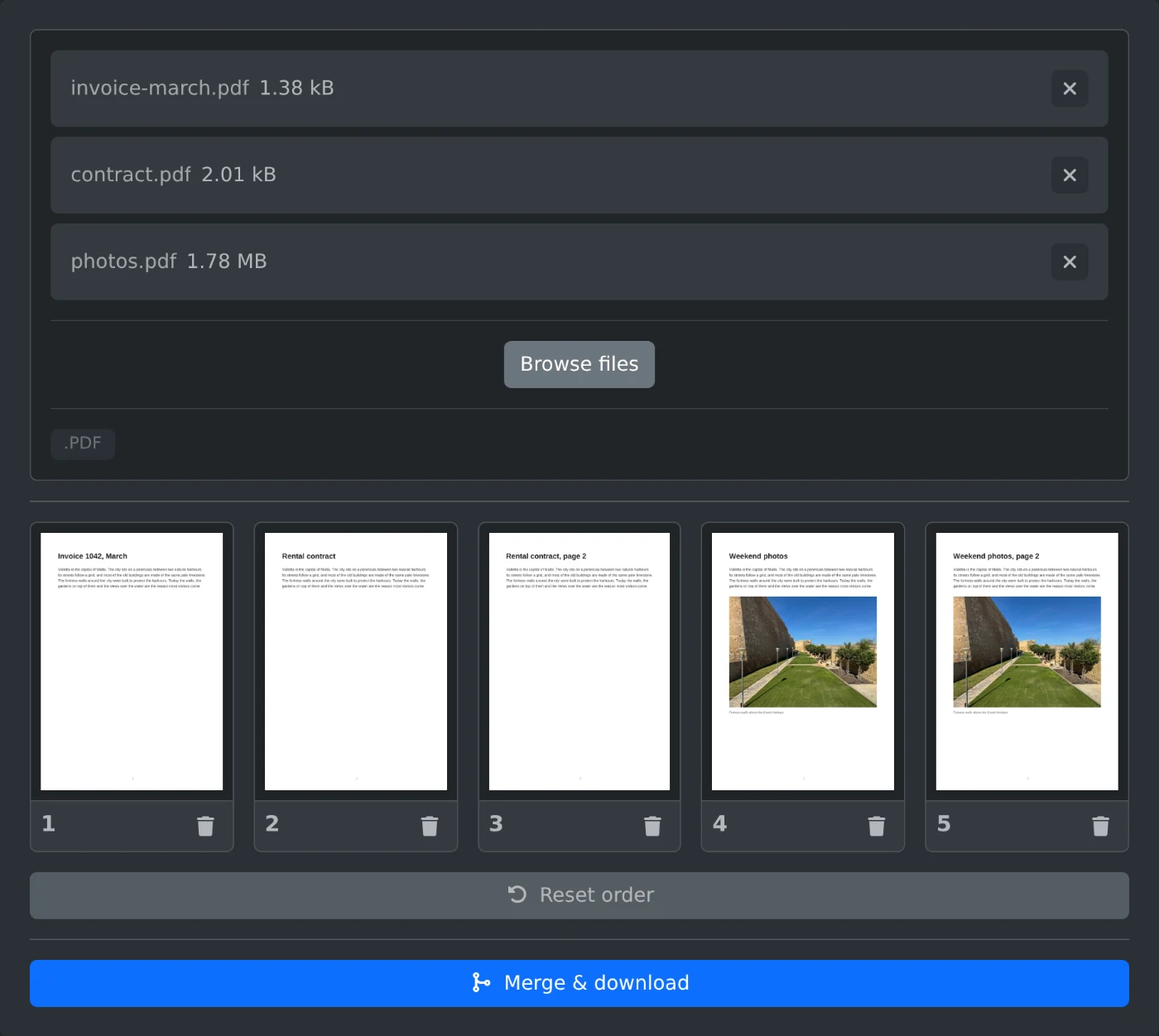
Combine multiple PDFs into one file. Upload PDFs, drag their page thumbnails into the order you want, then merge and download. Runs entirely in your browser.
This tool processes all data locally on your device.
Upload PDFs to see their pages here
Readme
What is PDF merging?
PDF merging combines pages from multiple PDF files into a single document. It is useful when you want one file instead of a stack of separate exports.
Tool description
This tool lets you upload one or more PDFs, preview their pages as thumbnails, reorder pages across files, remove pages you do not want, and download the merged result as one PDF.
Features
- Supports multiple source PDFs in one merge session
- Shows page thumbnails so you can preview and reorder before export
- Lets you remove pages and reset the order when you change your mind
How it works
The tool renders each page locally in the browser, keeps the selected pages in a sortable grid, and copies them into a new PDF in the order you chose. The finished document downloads as merged.pdf.
Tips
- Use the preview view if you are mixing pages from several files.
- Reset order brings the page list back to the original arrangement.
- This is a good fit when you need a quick merge without installing desktop PDF software.
Comments
Protected by Cloudflare Turnstile
Loading comments...
Tool info
Created
Last updated
Tags
pdfmergecombinejoinconcatenatepagesreorderdrag and dropdocumenteditor
Similar Tools
Reorder, rearrange, and remove pages in a PDF by dragging page thumbnails, then download the updated file. Runs entirely in your browser.
Attach files to a PDF document and download the result, with a tree view of existing and new attachments.
Extract embedded text from every page of a PDF file directly in your browser.
Powered By
Embed
Embed this tool anywhere for free. Need help? Check out our guide.
317 characters
Disclaimer
The tools provided on this website are designed to assist users in solving various problems. While we strive to ensure that the tools are accurate and effective, we do not guarantee or warrant that the output of any tool will be 100% accurate or error-free. The results generated by these tools are provided as-is and should be used with caution. We recommend that users verify any important information or results with additional resources or professional advice, as we cannot be held responsible for any consequences arising from the use of these tools. By using this website, you agree to assume all risks associated with the accuracy and use of the results provided.