How to Convert Colors Between HEX, RGB, HSL, and Other Formats
Convert a color between HEX, RGB, HSL, CMYK, and other formats, see which conversions are exact, and learn which format to use where.
2 min read
Convert colors between HEX, RGB, HSL, HSV, HWB, CMYK, LAB, LCH, OKLab, OKLCH, XYZ, CSS color names, ANSI terminal codes and more, with format auto-detection and a live preview.
A color on a screen is a mix of red, green, and blue light, and each format writes that mix in its own way. CSS and design tools use HEX codes and RGB values. HSL, HSV, and HWB describe a color by its hue, the angle on the color wheel, and by how vivid and how light it is, which is easier to adjust by hand. CMYK gives the amounts of cyan, magenta, yellow, and black ink for print. LAB, LCH, OKLab, and OKLCH are built so that equal steps in their numbers look about equal to the eye, which helps with palettes and gradients, and modern CSS supports all four. Terminals use ANSI color codes, and CSS also has named colors such as tomato.
Here is the same orange in each format:
| Format | Example | What the values are |
|---|---|---|
| HEX | #ff6600 |
Red, green, and blue as two hexadecimal digits each |
| RGB | rgb(255, 102, 0) |
Red, green, and blue from 0 to 255 |
| HSL | hsl(24, 100%, 50%) |
Hue, saturation, and lightness |
| HSV | hsv(24, 100%, 100%) |
Hue, saturation, and value, also called HSB |
| HWB | hwb(24 0% 0%) |
Hue, whiteness, and blackness |
| CMYK | cmyk(0%, 60%, 100%, 0%) |
Cyan, magenta, yellow, and black ink |
| LAB | lab(62.31, 55, 71.33) |
CIE lightness, green to red, and blue to yellow |
| LCH | lch(62.31, 90.07, 52.36) |
CIE lightness, chroma, and hue |
| OKLab | oklab(69.58% 0.1482 0.1406) |
Lightness and two color axes, like LAB |
| OKLCH | oklch(69.58% 0.2043 43.49) |
Lightness, chroma, and hue in OKLab |
| XYZ | xyz(46, 30.77, 3.52) |
The CIE XYZ color space that LAB is based on |
| HCG | hcg(24, 100%, 0%) |
Hue, chroma, and grayness |
| Color name | orangered |
The closest CSS named color |
| ANSI 16 | 91 |
Terminal code of one of the 16 basic colors |
| ANSI 256 | 208 |
Terminal code of one of 256 colors |
| AppleScript RGB | {65535, 26214, 0} |
Red, green, and blue from 0 to 65535, as AppleScript writes them |
| Grayscale | gray(46.7%) |
Brightness from 0% to 100% |
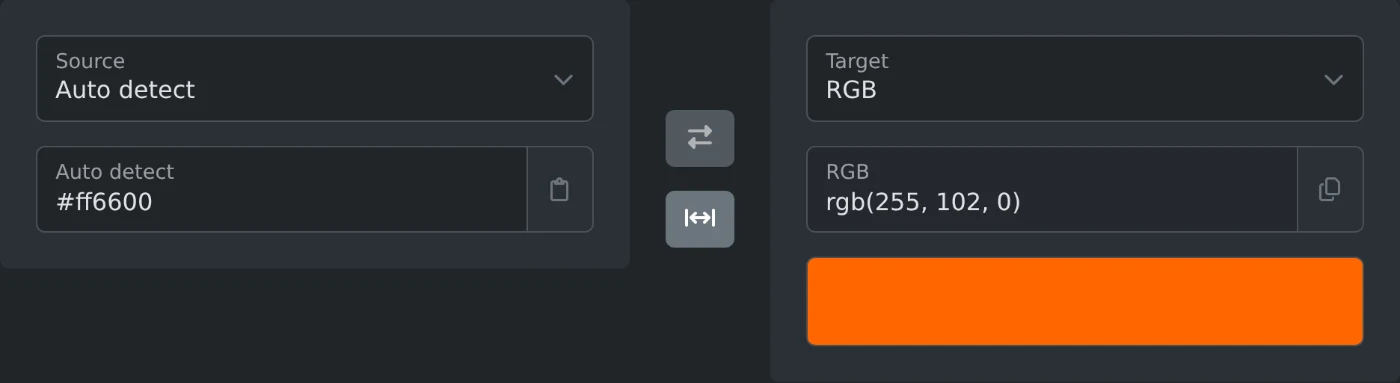
This tool converts a color between these 17 formats and shows it as a swatch under the result. Every color converter here works the same way, from the general Color Converter to the ones for a single pair, such as HEX to RGB, RGB to CMYK, or HEX to color name: it starts on the formats in its name, and the Source and Target menus switch to any other. Paste a color and the result appears as you type, ready to copy. With Auto detect as the source, which the Color Converter starts on, the tool works out the format from how the color is written. The swap button turns the conversion around.
| Input | Target | Result |
|---|---|---|
#ff6600 |
RGB | rgb(255, 102, 0) |
rgb(37, 99, 235) |
HEX | #2563eb |
#2563eb |
HSL | hsl(221.2, 83.2%, 53.3%) |
rgb(37, 99, 235) |
CMYK | cmyk(84.3%, 57.9%, 0%, 7.8%) |
#2563eb |
HSV | hsv(221.2, 84.3%, 92.2%) |
#2563eb |
OKLCH | oklch(54.61% 0.2152 262.88) |
rgb(37, 99, 235) |
LAB | lab(46.06, 30.96, -73.83) |
#ff6347 |
Color name | tomato |
rebeccapurple |
HEX | #663399 |
rgba(37, 99, 235, 0.5) |
HEX | #2563eb80 |
#. A fourth digit or a last pair sets the opacity.rgb(), hsl(), or oklch(), with commas or spaces between the values, and an optional opacity as a fourth value or after a slash: rgba(37, 99, 235, 0.5) or rgb(37 99 235 / 50%).rgb(100%, 40%, 0%), and hues in deg, rad, grad, or turn, as in hsl(0.5turn, 100%, 50%).255, 102, 0. Auto detect reads three numbers as RGB, or as HSL when the last two are percentages, and four as CMYK, unless they look like RGB with an opacity.Rebecca Purple works.hsb(), and AppleScript colors in braces, such as {65535, 26214, 0}.The math is done by color-convert, a JavaScript library for color conversion.
lab() and lch() use the D50 white point, so their numbers differ a little.oklch(70% 0.3 145) becomes #00c800.#ff6600 gives orangered, which is #ff4500.Convert a color between HEX, RGB, HSL, CMYK, and other formats, see which conversions are exact, and learn which format to use where.
2 min read