Clock Image Generator
Generate customizable analog clock images with specific time settings. Download as PNG or SVG.
Input
Output
Screenshots
Readme
How Do Analog Clocks Work?
Analog clocks display time using rotating hands on a circular dial. The hour hand completes one full rotation every 12 hours, the minute hand rotates once per hour, and the second hand makes a complete circle every 60 seconds. The positions of these hands relative to the numbered dial allow us to read the current time at a glance.
The mathematics behind clock hands is elegant: each hand's angle is calculated based on the current time. The second hand moves 6 degrees per second (360°/60), the minute hand moves 6 degrees per minute, and the hour hand moves 30 degrees per hour (360°/12) plus an additional 0.5 degrees per minute to smoothly track between hour markers.
Why Generate Clock Images?
Clock images serve many purposes beyond simply telling time. Designers use them in educational materials, presentations, and user interfaces. Teachers create worksheets with clock faces to help students learn to read time. Developers need clock graphics for applications, websites, and digital signage. Having a tool that generates customizable, high-quality clock images saves significant time compared to manually creating each graphic.
Tool Description
This tool generates customizable analog clock images showing any specified time. You can set the exact hours, minutes, and seconds, choose from multiple visual styles, and customize every color element. The generator produces clean, scalable graphics suitable for any purpose-from educational materials to professional presentations.
Examples
Teaching Materials: Generate a clock showing 3:15 with large, clear numbers in the "Classic" style for a math worksheet about telling time.
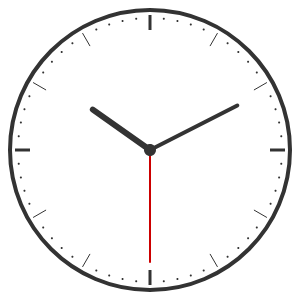
Minimalist Design: Create a sleek clock at 10:10 (the traditional "smile" position used in watch advertisements) using the "Minimal" style with a white face and dark gray hands.
Vintage Aesthetic: Use the "Roman Numerals" style with cream-colored face and antique brown hands to create a traditional clock graphic for a heritage-themed project.
Modern UI Element: Generate a clock with custom brand colors using the "Modern" style for integration into a web application or dashboard.
Features
- Four distinct clock styles: Classic (numbered), Modern (with minute dots), Minimal (clean dots only), and Roman Numerals
- Full time customization: Set any hour (0-23), minute (0-59), and second (0-59) with optional second hand display
- Complete color control: Customize face, border, hour hand, minute hand, second hand, and number/marker colors independently