AI Color Palette Generator
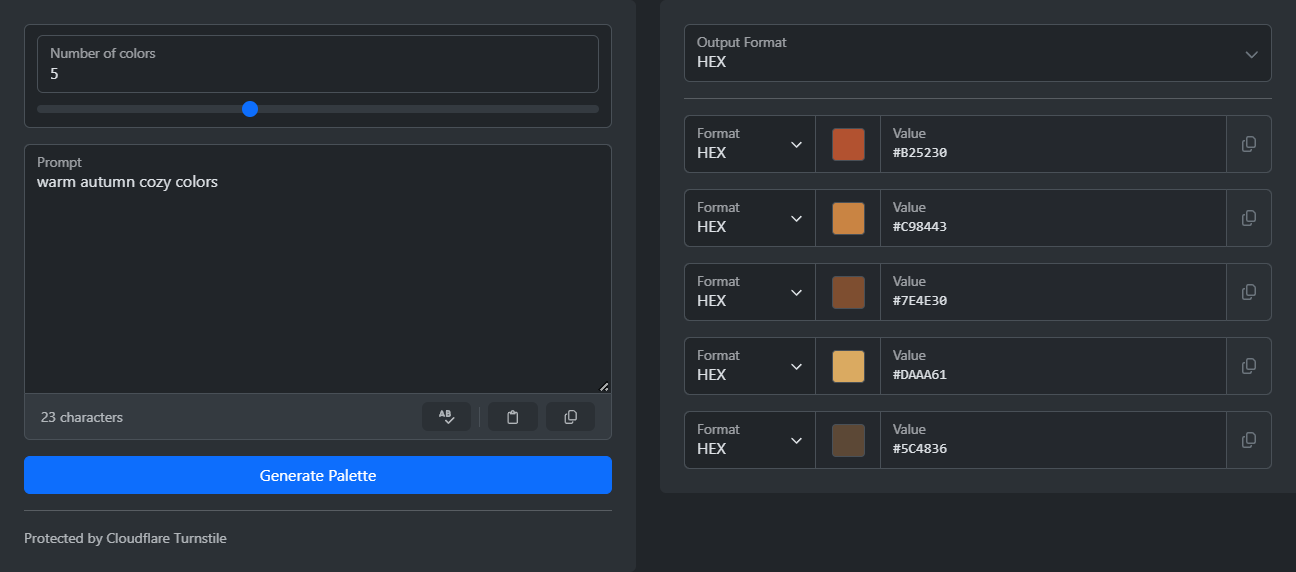
Generate harmonious color palettes using AI. Describe your desired mood, theme, or style, and let artificial intelligence create a cohesive color scheme with names and descriptions for each color.
Input
Output
Readme
What is an AI Color Palette Generator?
An AI color palette generator uses artificial intelligence to create harmonious color schemes based on natural language descriptions. Instead of manually selecting colors or using traditional color theory rules, you simply describe what you want—like "ocean sunset" or "corporate professional"—and the AI interprets your intent to generate a cohesive set of colors. This technology combines machine learning with color theory principles to understand context, mood, and aesthetic preferences, making color selection faster and more intuitive for designers, developers, and anyone working with visual content.
Tool Description
This AI-powered color palette generator creates custom color schemes based on your text descriptions. Simply enter a prompt describing the mood, theme, or style you want, choose how many colors you need (2-10), and let the AI generate a harmonious palette. The tool uses advanced AI to interpret your creative vision and translate it into practical color combinations that work well together.
Features
- Natural Language Input: Describe your desired palette in plain English (e.g., "warm autumn forest", "minimalist tech startup", "vintage 1950s diner")
- Flexible Color Count: Generate between 2 and 10 colors per palette to match your project needs
- Multiple Output Formats: Export colors in HEX, RGB, HSL, or HSV formats for seamless integration into your workflow
- AI-Powered Intelligence: Advanced AI understands context, mood, and design intent to create balanced, professional palettes
- Security Verified: Built-in CAPTCHA protection ensures quality generation and prevents abuse
- Instant Copy: One-click copying for each color in your preferred format
Use Cases
- Web Design: Generate cohesive color schemes for websites and applications based on brand personality or design mood
- Graphic Design: Create color palettes for posters, logos, and marketing materials by describing the desired aesthetic
- UI/UX Design: Develop interface color schemes that match the emotional tone of your product
- Branding Projects: Explore color options for brand identities by describing brand values and target audience
- Digital Art: Find inspiration for illustration and artwork by generating colors based on scene descriptions
- Interior Design: Discover color combinations for room designs and decor projects
- Marketing Materials: Create seasonal or campaign-specific color palettes aligned with messaging themes
- Game Development: Generate environment-specific color schemes for different game levels or scenes
How to Use
- Enter a descriptive prompt (e.g., "peaceful meditation space", "energetic sports brand", "cyberpunk neon city")
- Select the number of colors you need (2-10)
- Choose your preferred output format (HEX, RGB, HSL, or HSV)
- Complete the CAPTCHA verification
- Click "Generate Palette" to create your custom color scheme
- Click on any color to copy its value in your selected format
Tips for Better Results
- Be Descriptive: More specific prompts yield more accurate results (e.g., "soft pastel spring garden" vs. "spring")
- Include Mood: Mention emotional qualities like "calm", "energetic", "sophisticated", or "playful"
- Reference Styles: Reference design movements or eras like "art deco", "scandinavian minimalist", or "retro 80s"
- Combine Concepts: Mix themes for unique results (e.g., "tropical paradise meets corporate elegance")
- Specify Context: Mention the intended use (e.g., "wellness app interface", "children's book illustration")