How to Watch YouTube Videos Together With Friends
Make a shared room, paste a YouTube link and send the room link to friends. When anyone plays, pauses or skips, the video follows for everyone.
4 min read
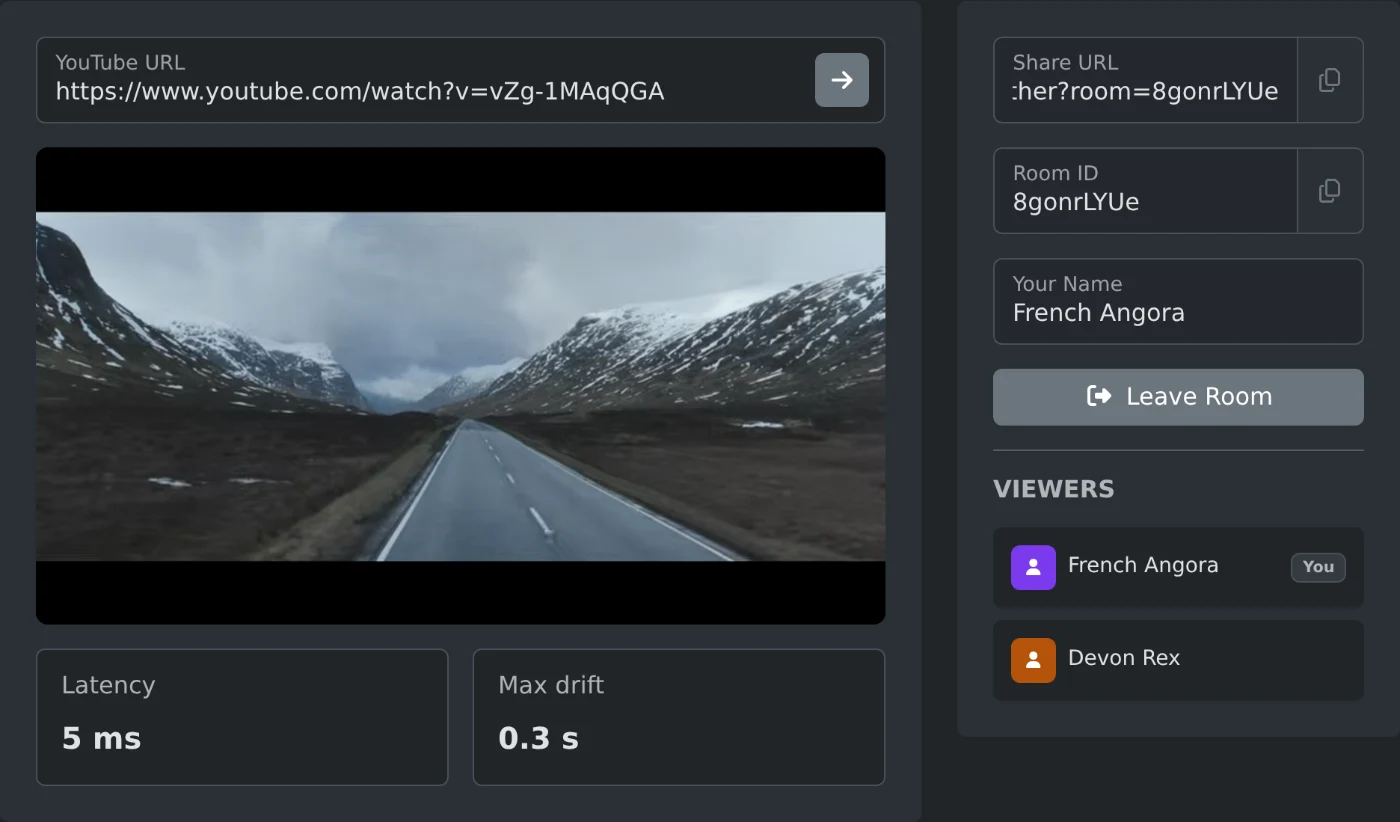
To watch YouTube videos together, open YouTube watch together and paste a video link into "YouTube URL". Copy the "Share URL" and send it to your friends. When they open it, they see the same video. If anyone plays, pauses or skips, the video does the same for everyone. No sign in is needed.
The room also has a chat. Type in "Message" under "Chat" and press Enter, and everyone in the room sees it. Messages aren't saved, so a friend who joins later or reloads the page only sees new ones.
How to start a watch party
- Open the page. A room is made right away, and its link appears in "Share URL".
- Paste a YouTube link into "YouTube URL", such as
https://www.youtube.com/watch?v=vZg-1MAqQGA. - Press Enter or click the arrow button in the field. The video loads in the player.
- Click the copy button next to "Share URL" and send the link to your friends.
- Wait until their names appear under "Viewers", then press play in the player.
The address in your browser changes to the same link, so you can also copy it from there. The field takes watch links, youtu.be links, Shorts and live links, and the 11 character video ID. A playlist link without a video gives "Invalid YouTube URL".
How your friends join the room
Friends open the link in their browser and join the room. The video loads for them too. Each person gets a random name from space, such as "Andromeda". The list under "Viewers" shows everyone, and your own row has a "You" badge.
After the page opens, each friend clicks once anywhere on it, for example on the "Viewers" heading. Without that click, the browser can keep their video from starting when someone else presses play.
What happens when someone presses play
Everyone in the room can use the player. Play, pause and a click on the progress bar reach all viewers. Volume, captions, quality and full screen stay with each person.
The video pauses for everyone in two cases:
- A new viewer joins while the video plays. It pauses at the current point.
- A viewer's video does not start within 5 seconds of play. It goes back to where play was pressed.
Check that everyone is ready, then press play again. If the same person is behind each time, ask them to click once on the page.
Under the player, "Latency" shows how long a message takes to reach the sync server and come back. It updates every 5 seconds. "Max drift" shows the largest gap in seconds between your video and the others. It shows a number only while the video plays for two or more viewers.
How to change the video or your name
To watch something else, paste a new link into "YouTube URL" and press Enter. The new video replaces the old one for everyone and waits at the start. It always starts from the beginning, even when the link has a time such as &t=42s.
To use your own name, change it before you send the link. Click "Leave Room", type the name in "Your Name", clear the "Room ID" field, and click "Create Room". This makes a new room with a new link. A friend who is already in a room can click "Leave Room", type a name and click "Join Room" to come back.
When the link says the room does not exist
The room closes when the last viewer leaves. After that, the link shows "The room you are trying to join does not exist." Click "Create Room" to make a new one. Then send the new "Share URL" to your friends.
Paste the video, send the "Share URL", and press play when everyone is in the list.
Ready to try it yourself?
YouTube Watch Together
Watch YouTube videos together in real time with friends.