How to See Where the Planets Are Right Now
Open a live view of the solar system on today's date, move time forward to a later date, and click any planet to see its size, distance and moons.
3 min read
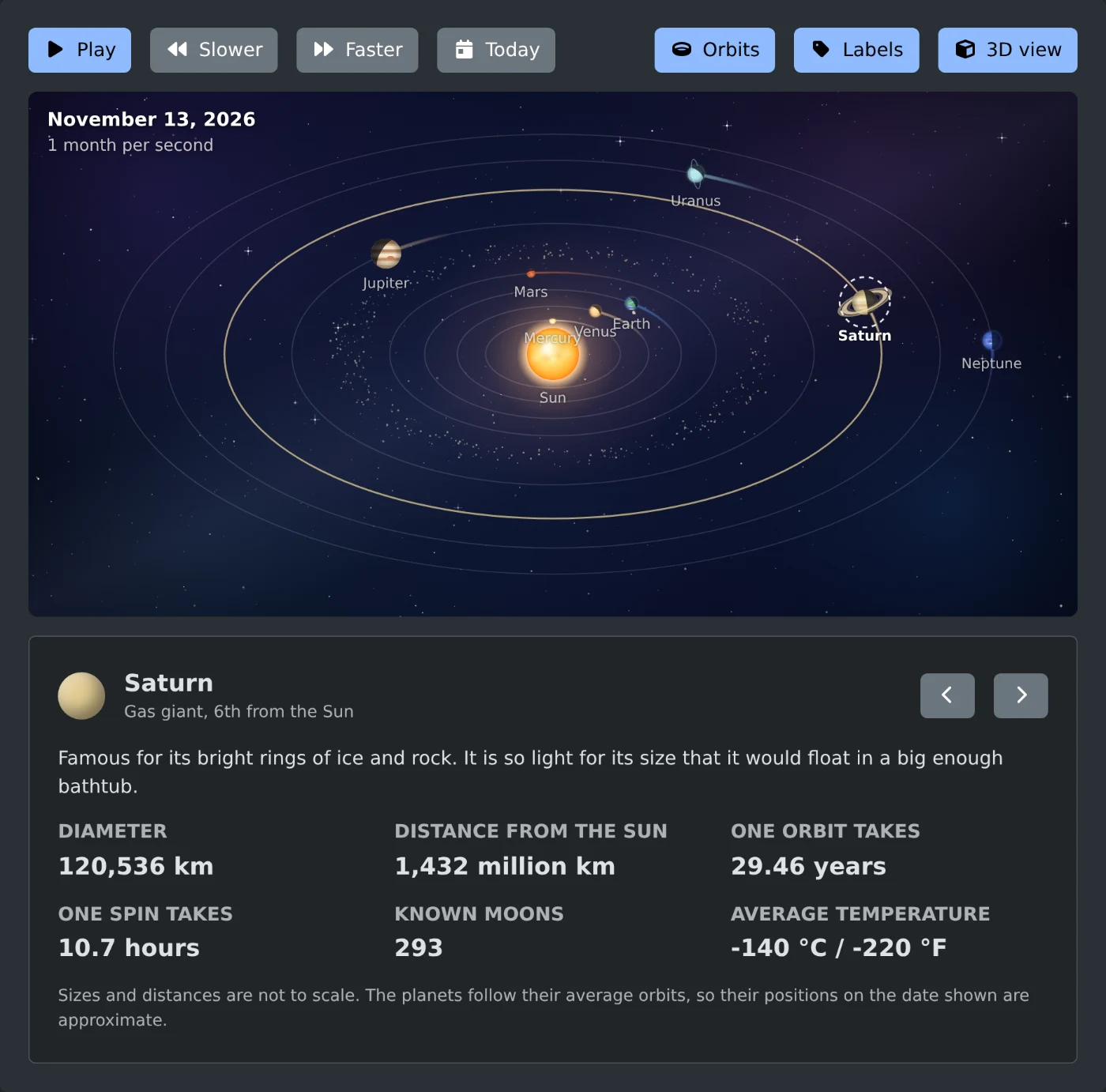
To see where the planets are right now, open the solar system visualizer. It opens on today's date and places the Sun and the eight planets on their orbits for that day. Click Pause to stop the view, then click a planet to read about it.
The date is in the top left corner of the view, with the speed below it. Time starts to run at once, at "1 month per second", so the date changes fast. Click Pause first if you want the positions for today.
How to see the planets on a later date
- Click Faster until the corner shows "1 year per second".
- Watch the date and click Pause a little before the date you want.
- Click Slower until the corner shows "1 day per second".
- Click Play, then click Pause again on the exact date.
The speeds are 1 day, 1 week, 1 month and 1 year per second. Time always runs forward from today. Click Today to go back to the current date and start again.
How to change the view
Three buttons on the right turn parts of the view on and off. A button is blue while its part is on, and all three are on when the page opens.
- Orbits shows the path of each planet.
- Labels shows the name next to each planet.
- 3D view tilts the solar system. Turn it off to look straight down on it.
The note at the bottom of the panel says that sizes and distances are not to scale. The positions on the date shown are approximate. Use the view to see which side of the Sun each planet is on, not to measure distances.
How to read the facts for a planet
Click a planet or the Sun in the view. You can also use the two arrow buttons next to the name to step through them in order. Earth is selected when the page opens. The selected planet has a dashed ring around it in the view.
The panel under the view shows the name, the type, such as "Gas giant, 6th from the Sun", and a short fact. Below that are "Diameter" and "Distance from the Sun". Then come "One orbit takes", "One spin takes", "Known moons" and "Average temperature" in °C and °F.
The Sun shows only its diameter, its spin time and its temperature.
When the view does not move
If your device is set to reduce motion, the view opens paused on today's date. Click Play to start it. It already shows the positions for today, so you can leave it paused and click the planets.
Open the view, click Pause, and click each planet to see where it is today.
Ready to try it yourself?
Solar System Visualizer
Watch the planets orbit the Sun in an animated solar system, speed up time and click any planet to learn its key facts.