How to Remove a Password from a PDF
Type the password once and download a copy of the PDF that opens without it, with no print, copy or edit limits. It all runs in your browser.
2 min read
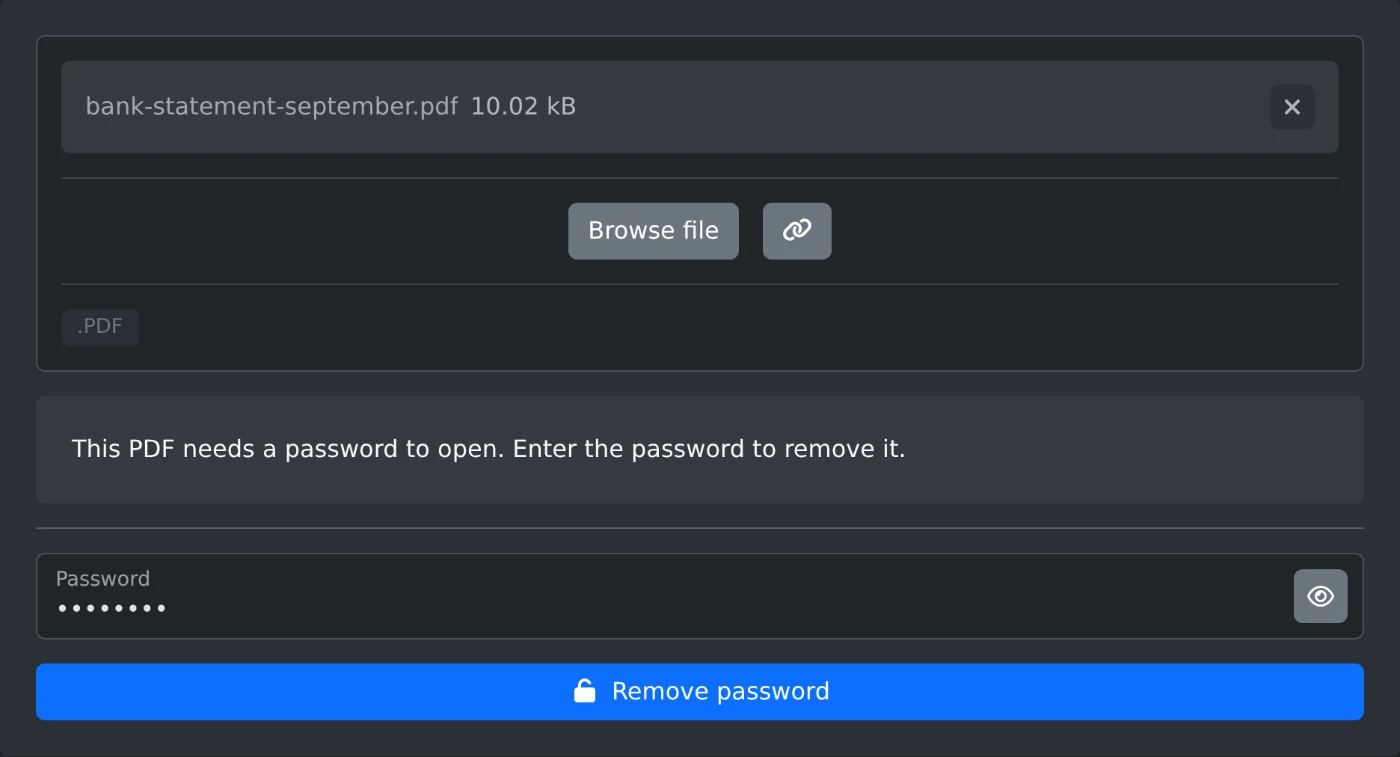
To remove a password from a PDF, open the PDF password remover and upload the file. Type the password into the Password field and click "Remove password". The download is a copy that opens without a password and has no restrictions. The file and the password stay in your browser and are never uploaded.
For a PDF that asks for a password when you open it, you need that password. The PDF password remover cannot find a password you forgot.
How to remove the password
- Drop the PDF onto the upload box, or click "Browse file".
- Wait for the check. A locked file shows "This PDF needs a password to open. Enter the password to remove it."
- Type the password into the Password field.
- Click "Remove password", or press Enter in the field.
- The download starts. The file is saved with
-unlockedadded to its name.
A file named bank-statement-september.pdf comes back as bank-statement-september-unlocked.pdf.
Which password to type
A PDF can have two passwords. The open password lets you see the file. The permissions password controls printing, copying and editing. Either one works here.
Capital letters matter, so type the password exactly as you got it. A wrong password shows "Wrong password". Click the eye button in the field to see what you typed. Fix it and click "Remove password" again.
Files that only block printing or copying
Some PDFs open without a password but block printing, copying or editing. The check then says "This PDF opens without a password, but it restricts" and lists what is blocked. You need no password for these files. The Password field stays disabled, and "Remove password" works right away. The download has no restrictions.
If the check says "This PDF has no password or restrictions", the file is already open. "Remove password" stays disabled, because there is nothing to remove.
Before you download
- The original file on your computer stays locked. You get a new copy.
- The pages and the text of the copy stay the same.
- Anyone who has the copy can open it without a password.
- A PDF locked with a certificate shows "This PDF uses a kind of encryption that this tool can't remove, such as certificate encryption".
Open the copy once to check it, then store it where only you can reach it.
Ready to try it yourself?
PDF Password Remover
Remove the password and the printing, copying and editing restrictions from a PDF you can open. Enter the password and download a copy that opens without one. Runs in your browser.