How to Make a Venn Diagram Online
Make a Venn diagram of two or three sets. List the items of each set, and the shared ones go in the overlaps. Download as PNG, JPG, WebP or SVG.
3 min read
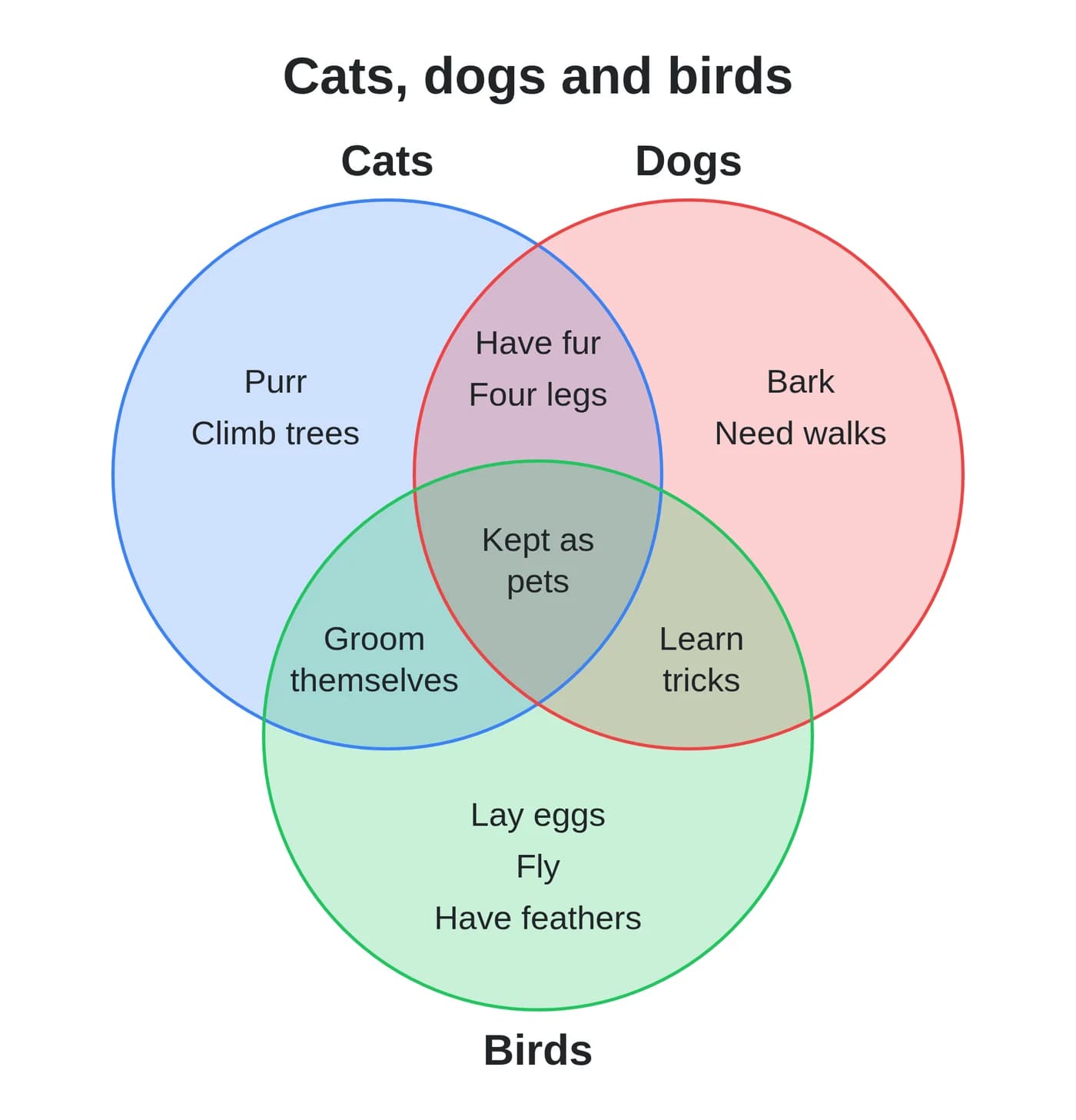
To make a Venn diagram, open the Venn diagram generator and choose 2 or 3 sets. Type a name for each set and list its items, one per line. An item that you list in two sets appears where their circles cross. Then click "Download as PNG". The diagram is drawn in your browser, and your text is never uploaded.
You do not have to sort the items into areas yourself. Type the full list of each set, and the shared items find their place.
How to make the diagram
- Pick "2 sets" or "3 sets" under "Number of sets".
- Type a title, or leave the Title field empty.
- Under Set A, type the name of the first group in Name.
- List its items in "Items, one per line".
- Fill in Set B the same way, and Set C when you use three sets.
- Pick a color for each set and for the background.
- Choose the output format and click the download button.
The preview updates while you type. The set names appear above the circles, and the third name appears under its circle.
Where each item goes
- An item in one set only goes in the part of its circle that no other circle covers.
- An item in two sets goes where those two circles cross.
- An item in all three sets goes in the middle.
- Capital letters and extra spaces are ignored, so "Have fur" and "have fur" are one item. The diagram shows the first spelling.
- An item listed twice in the same set appears once.
For example, list "Have fur" under Cats and under Dogs. It appears in the area that Cats and Dogs share.
When an area is too full
All items use one text size, and it gets smaller as the areas fill up. Long items wrap onto more lines. When an area still has no room, it shows its first items and a line such as "+12 more". To show every item, shorten the items or split a long list into several diagrams.
The circles always have the same size. They show which items overlap, not how large each set is.
Which format to download
- PNG for slides, documents and websites.
- JPG or WebP for a smaller file. A lower "Output Quality" makes it smaller still.
- SVG to edit the diagram in a vector editor, or to print it at any size.
PNG, JPG and WebP files are 2000 pixels wide. The file name starts with venn-diagram. On a dark background color, the text turns white so it stays readable.
How to make a blank Venn diagram
Leave every items field empty. You get the circles only, with the set names if you type them. Download the diagram and print it as a worksheet.
Type your lists, check the overlaps in the preview, and download the diagram.
Ready to try it yourself?
Venn Diagram Generator
Make a Venn diagram of two or three sets. List each set's items and shared ones land in the overlaps. Download as PNG, JPG, WebP or SVG.