How to Make a Stickman Animation and Save It as a GIF
Draw a stick figure frame by frame over a faded copy of the last pose, play it back, and download the animation as a looping GIF.
3 min read
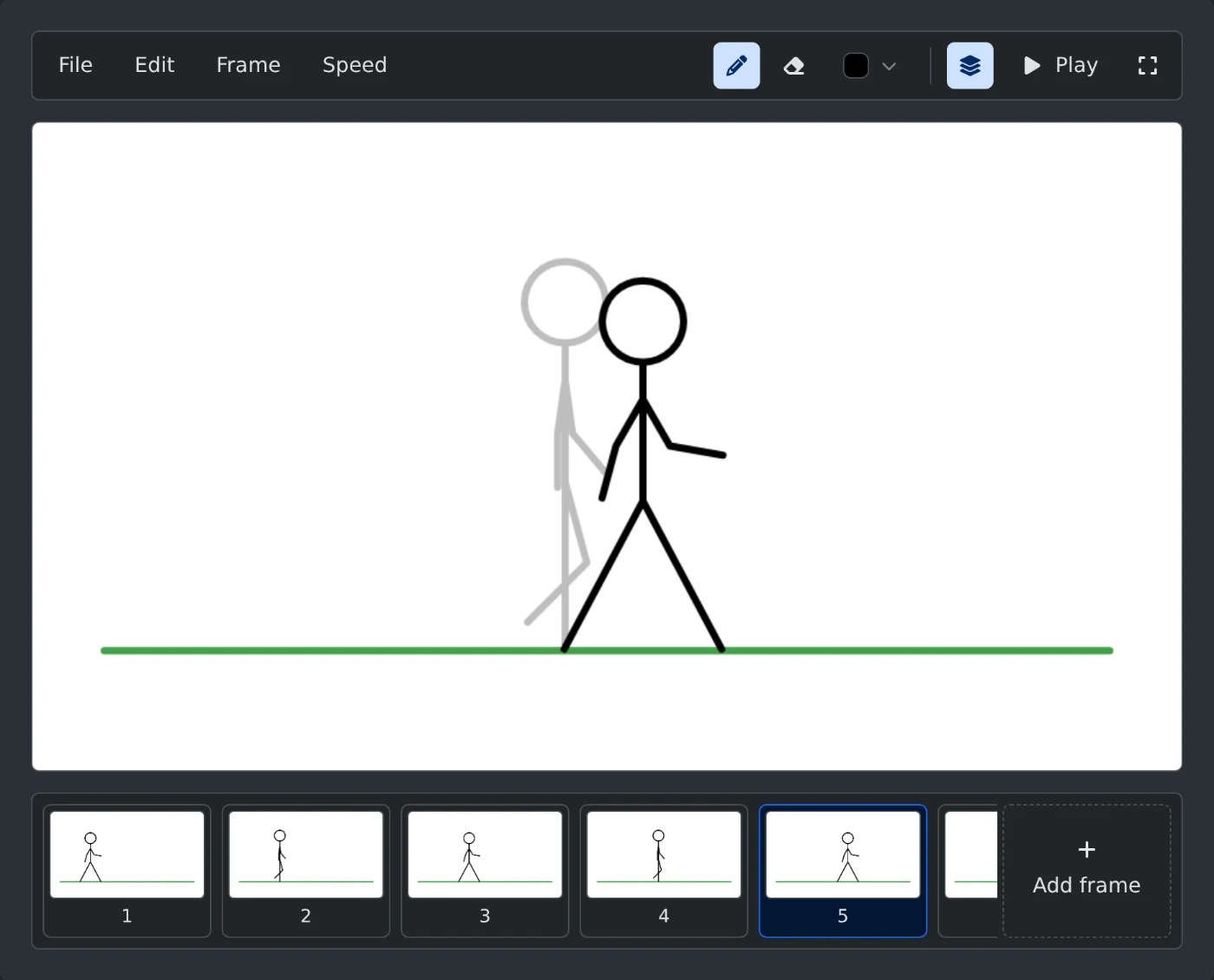
To make a stickman animation, open the Flipbook Animation Maker and draw the first pose on the white canvas. Click "Add frame" and draw the next pose a little further along. Click "Play" to watch it move. Then open the File menu and click "Download GIF". Everything happens in your browser, and nothing is uploaded.
How to draw the frames
- Draw the stick figure with the pencil. Use your mouse, or your finger on a phone or tablet.
- Click "Add frame" at the right end of the film strip. An empty frame opens.
- The previous frame shows faded under the empty one. Draw the next pose a little to the side of it.
- Repeat this until the movement is finished.
- Click "Play". The animation starts at frame 1 and repeats until you click "Stop".
The walk in the picture above has eight frames. Each frame moves the figure a small step to the right. The layers button next to "Play" turns the faded frame on and off.
The color button opens six colors and "Custom color" for any other color. Picking a color switches back to the pencil.
How to fix a frame
Click any frame in the film strip to open it. The open frame has a blue border. With many frames, scroll the strip sideways.
- The eraser removes lines. It is wider than the pencil.
- Undo and Redo are in the Edit menu. The keys are Ctrl+Z and Ctrl+Y, or ⌘Z and ⇧⌘Z on a Mac.
- "Clear frame" in the Frame menu empties the open frame.
- "Delete frame" in the same menu removes the open frame.
New frames go right after the open frame, not at the end. Use "Duplicate frame" when only part of the figure moves, such as a waving arm. It places a copy after the open frame. Erase the arm on the copy and draw it in its new position.
How to set the speed
Open the Speed menu and pick 4, 8 or 12 frames per second. The default is 8. For another speed, type a number from 1 to 50 under "Custom speed" and click "Apply". "Play" and the downloaded GIF both use this speed.
How to draw in full screen
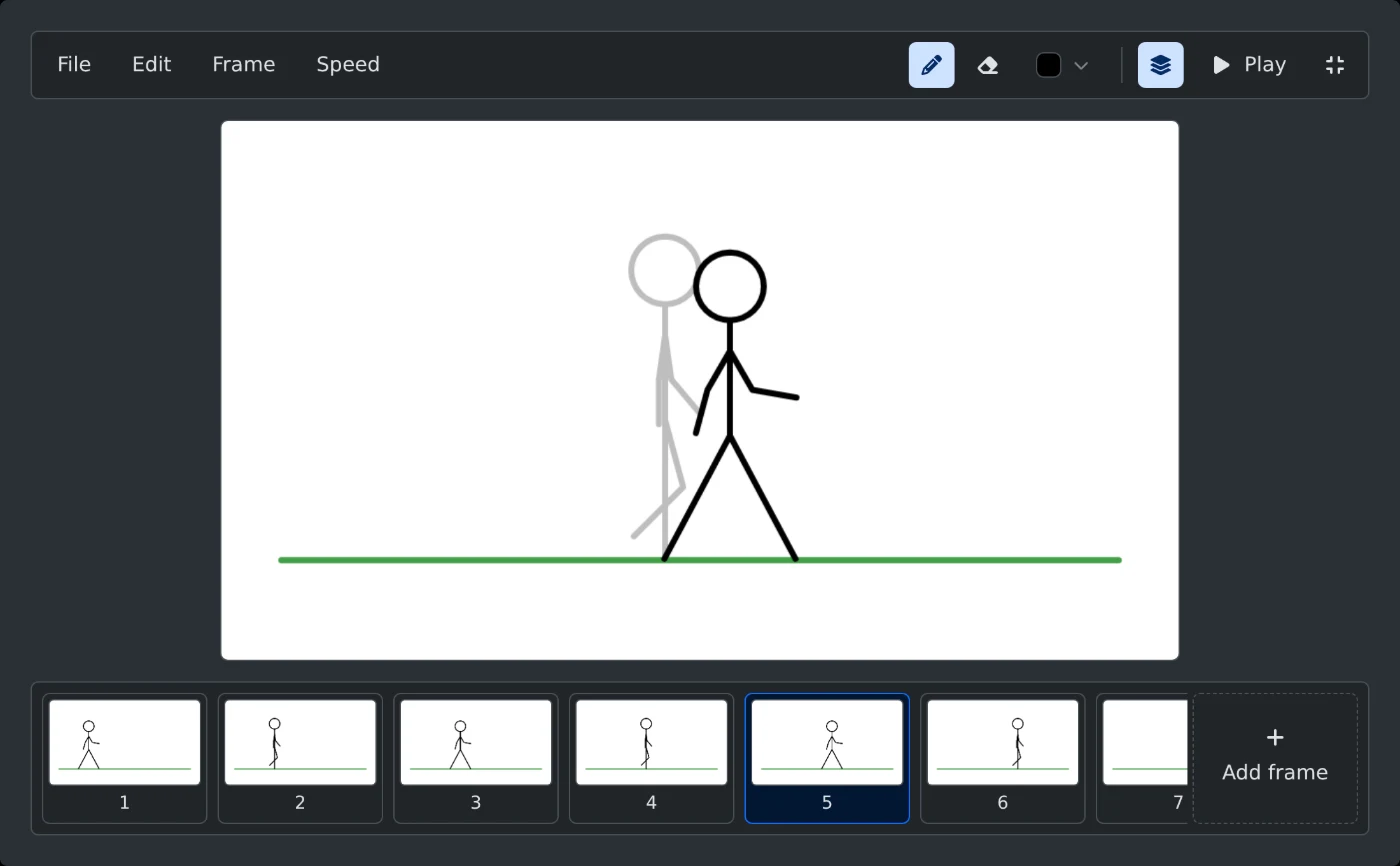
Click the full screen button at the right end of the menu bar. The canvas grows to fill the screen, with the menu bar on top and the film strip at the bottom. Press Esc or click the button again to go back.
Before you download
- The GIF is 960 × 540 pixels with a white background.
- It plays in a loop at the speed you set.
- The faded previous frame is not part of the GIF.
- The file name is
animationand a number, such asanimation-1792589120772.gif. - Nothing is saved in the browser. Download the GIF before you close or reload the page.
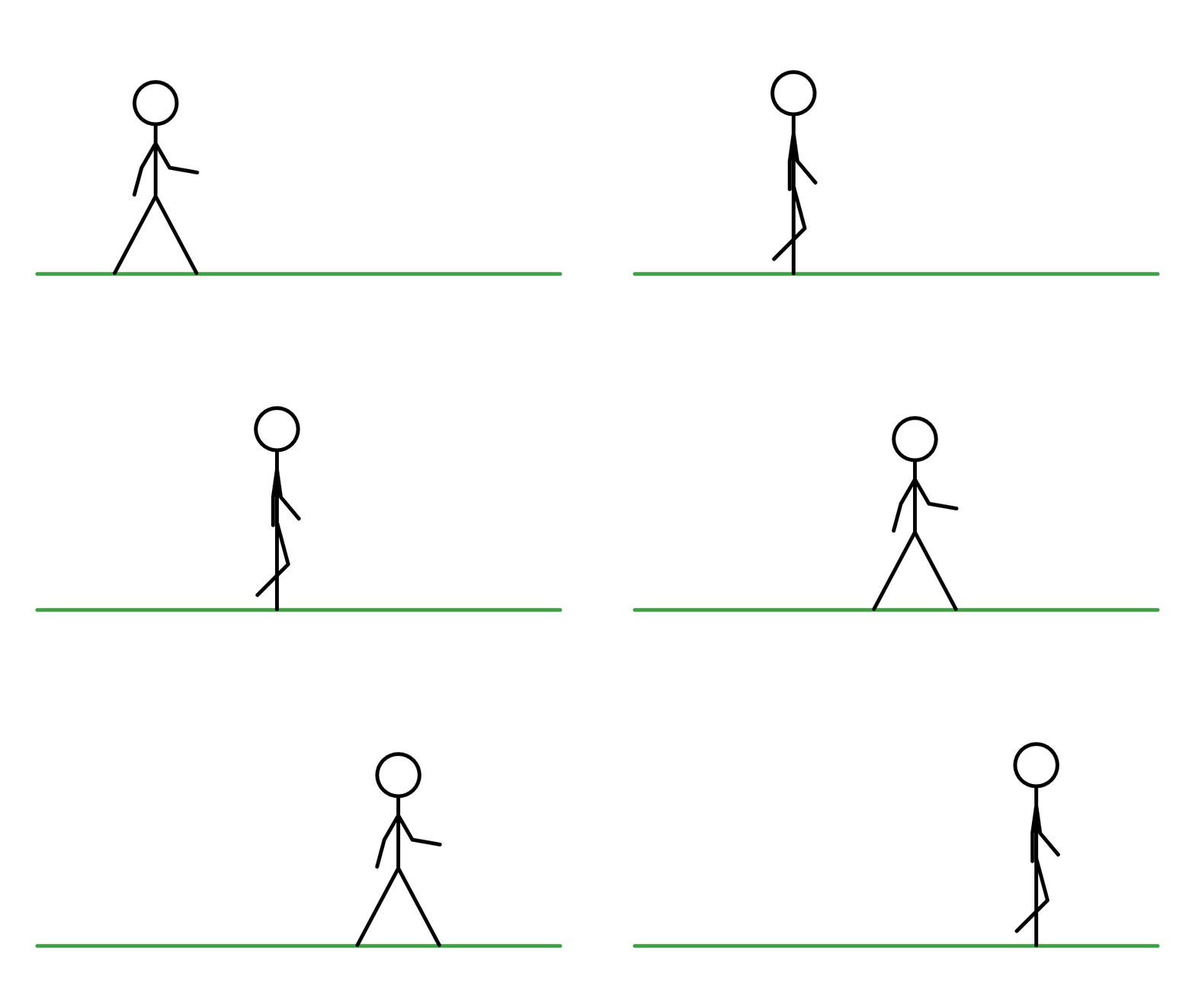
Draw the first pose, add the next frames one small step at a time, and download the GIF when it plays the way you want.
Ready to try it yourself?
Flipbook Animation Maker
Draw a stick figure or any doodle frame by frame, see the previous frame beneath, play it back and download the animation as a GIF.