How to Make a Crossword Puzzle With Your Own Words and Clues
Type your words and clues, place them in a numbered grid, and print the puzzle with its Across and Down clues. Tick one box to print the answer key.
3 min read
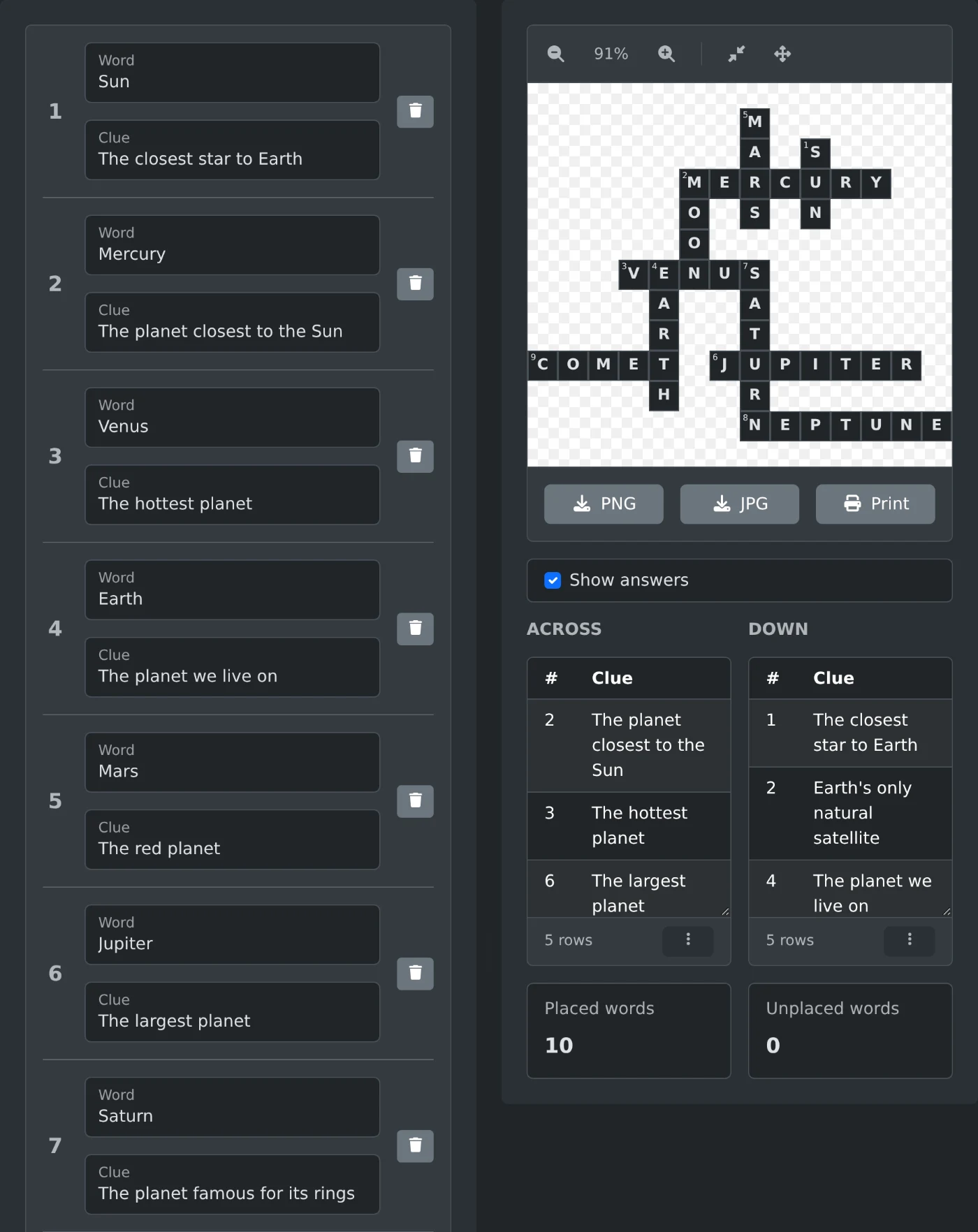
To make a crossword puzzle, open the crossword generator and type your first answer in "Word" and its hint in "Clue". Click "Add Word" for each next word, then click "Generate". The words are placed in a grid with numbered Across and Down clues. Click "Print" to print the puzzle with its clues. The grid is made in your browser.
You write only the words and the clues. The crossword generator finds where the words cross each other.
How to make the puzzle
- Type the first answer in "Word" and its clue in "Clue".
- Click "Add Word" and fill in the next row. Repeat this for every word, up to 50 words.
- Click "Generate".
- Check that "Unplaced words" under the clue lists shows 0.
- Tick "Show answers" to see the letters in the grid.
The grid does not change while you edit the list. Click "Generate" again after each change.
The clue numbers follow the order of your list, not the position in the grid. The first placed word gets number 1, the next one gets 2, and so on. Two words that start in the same square share a number, such as 2 Across and 2 Down.
If the grid is wider than the preview, click the "Reset" button next to the zoom buttons. It fits the grid to the width.
How to type the words
- Capital letters do not matter. The answers are always in capitals.
- Only the letters A to Z stay in an answer. Spaces, hyphens and digits are removed, so "ice cream" becomes ICECREAM.
- Letters with accents are removed too, so "café" becomes CAF. Type such words without the accent.
- A word needs at least two letters, and the puzzle needs at least two words.
- A word without a clue still goes into the grid. Its clue shows as "(No clue provided)" in the clue list.
What to do when a word is not placed
A word that cannot cross any other word is left out of the grid. "Unplaced words" counts it, and a warning appears. The word is also missing from the Across and Down lists, so you can see which one it is.
Clicking "Generate" again with the same list gives the same grid. Change the list instead:
- Add a word that shares letters with the missing word.
- Change the missing word to another word with the same meaning.
For example, "Fizz" shares no letter with "Sun", "Moon", "Mars" and "Pluto", so it is left out. Adding "Zip" to the list places it.
How to print the puzzle and the answer key
- Untick "Show answers" and click "Print". A new window opens with the print dialog. The page has the empty grid with its numbers and the Across and Down clues.
- Tick "Show answers" and click "Print" again. This copy has the letters in the grid. Keep it as the answer key.
On the printed page, the grid is a full rectangle. The squares between the words are dark gray.
The "PNG" and "JPG" buttons save only the grid, without the clues. The file is named crossword- followed by a number, such as crossword-1793787300000.png. Tick "Show answers" first to save the grid with the letters.
A new "Generate" hides the answers again. Click "Clear" to start a new puzzle. It removes all the words and the grid.
Type the words, check that "Unplaced words" is 0, and print one puzzle and one answer key.
Ready to try it yourself?
Crossword Generator
Generate crossword puzzles from custom words and clues with an interactive grid layout