How to Edit Text Together Online in Real Time
Open a shared notepad, send its link, and type in the same text with others. Everyone sees each change and each cursor as it happens.
3 min read
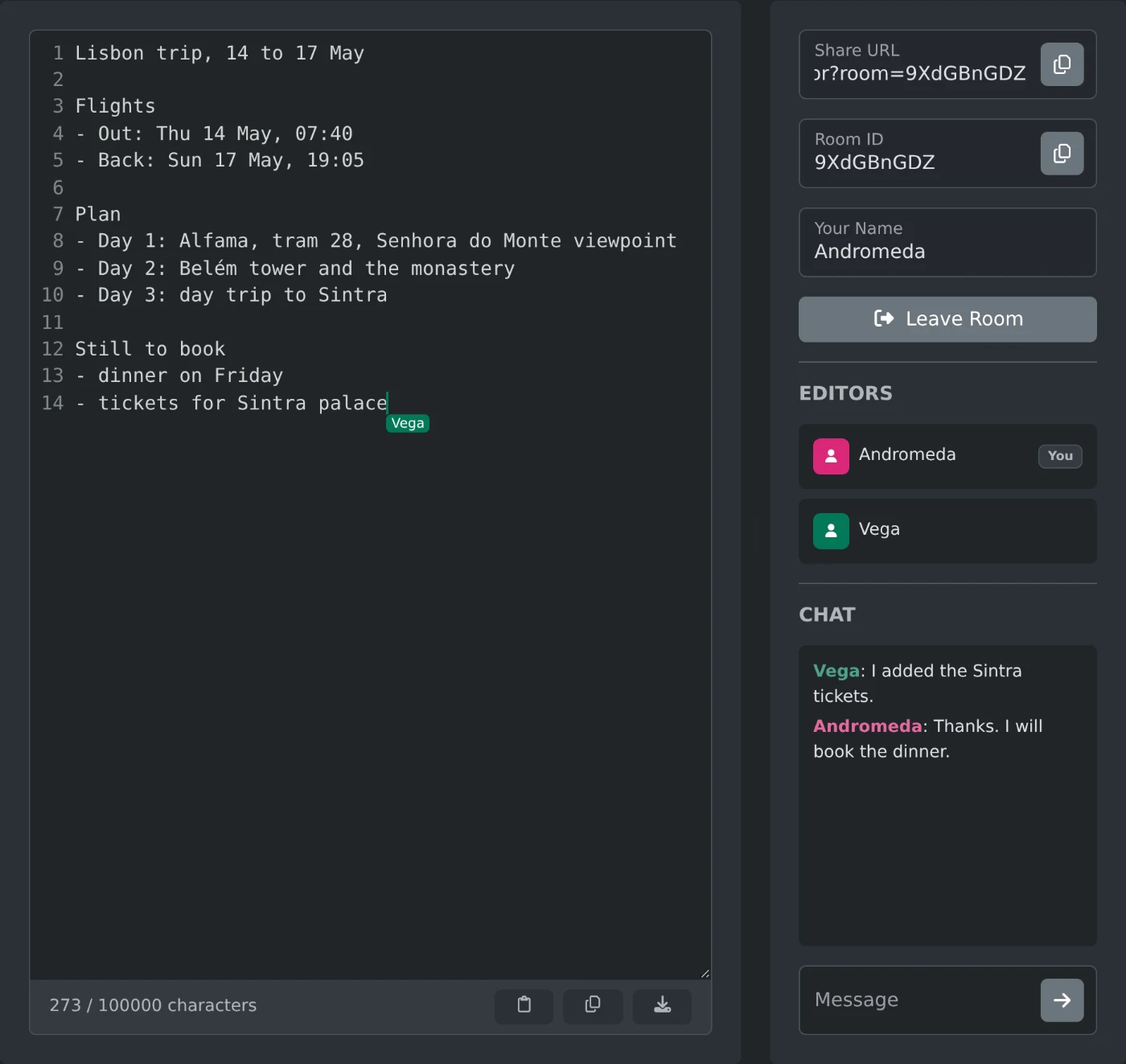
To edit a text together with other people, open the collaborative text editor and copy the link from "Share URL". Send it to the others. When they open it, everyone types in the same text, and each change shows up for all of them within a moment. No sign in is needed.
The text goes through a sync server and stays in its memory only while the room is open. Nothing is saved after the last person leaves, so download the text before that.
How to start a shared text
- Open the page. A room is made right away, and its link appears in "Share URL".
- Click the copy button next to "Share URL" and send the link.
- Type or paste your text into the editor.
- Wait until the other names appear under "Editors".
The address in your browser changes to the same link, so you can also copy it from there.
What everyone sees while typing
Each person gets a random name from space, such as "Vega". The list under "Editors" shows everyone in the room, and your own row has a "You" badge.
Each cursor and selection has the color of that person's icon in the list. The name shows next to the cursor for a moment after each move. Hover over a cursor to see the name again.
Two people can type at the same moment, even on the same line. Both changes are kept, and everyone ends up with the same text.
To show your own name, change it before you send the link. Click "Leave Room", type the name in "Your Name", clear the "Room ID" field, and click "Create Room". This makes a new, empty room with a new link, and the next rooms use the name too.
How to talk while you edit
The panel on the right has a chat under "Chat". Type in "Message" and press Enter, and everyone in the room sees it. Messages aren't saved, so a person who joins later or reloads the page only sees new ones.
How to keep a copy of the text
The bar under the editor counts the characters. The bar also has three buttons:
- Paste replaces the whole text with what you copied, for everyone.
- Copy puts the text on your clipboard.
- Download saves the text as
text.txt.
Click "Leave Room" when you are done. The text stays on your screen and stops updating, so you can still copy or download it.
When the editor shows a message
- "Connection lost. Reconnecting..." means the connection dropped. The editor catches up when it is back.
- "The room you are trying to join does not exist." means everyone left and the room closed. Click "Create Room" to start a new one.
- "Some of your latest changes were refused" appears when a change makes the text too long or changes come too fast. The editor then shows the room's text again.
A reload keeps you in the same room, with the text as it was. Room links from the JavaScript, TypeScript and SQL editors don't open here, because each editor has its own rooms.
Send the "Share URL", write together, and download the text before the last person leaves.
Ready to try it yourself?
Collaborative Text Editor
Edit plain text together in real time: share a link, see everyone's cursors and download the result.