Adjustable Page Width
Choose how wide pages are on large screens
2 min read
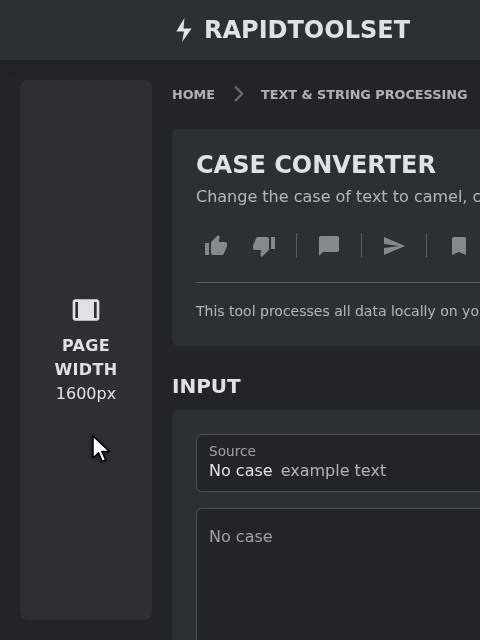
More room on large screens
Pages used to stop at 1320px wide, leaving much of a large monitor empty. They now grow with your screen up to 1600px, so tools with input and output side by side get more space.
Pick the width you like
Hover over the empty space in the header to the left of the logo. A button appears, and its tooltip tells you which width is in use. Click it to switch between:
- Default width: pages grow with your screen up to 1600px
- Full width: pages fill the whole window, leaving only a small margin on each side for the button
Full width makes a difference on wide monitors, where it gives tools with large inputs, previews or canvases all the room your screen has. In right-to-left languages the button is on the right, before the logo.
Remembered in your browser
Your choice applies to every page and is saved in your browser, so it's still there next time. It's applied before the page appears, so there's no jump on load. Each browser keeps its own setting.
Where it's available
The button appears when there's room for it beside the page: on screens at least 1760px wide, using a mouse or trackpad. On smaller screens it stays hidden, and both settings give about the same width there.