Einen Wikipedia-Artikel zur Offline-Nutzung herunterladen
Speichere jeden Wikipedia-Artikel mit wenigen Klicks als PDF-, Markdown- oder reine Textdatei – ohne Bearbeitungslinks und Fußnotennummern.
2 Min. Lesezeit
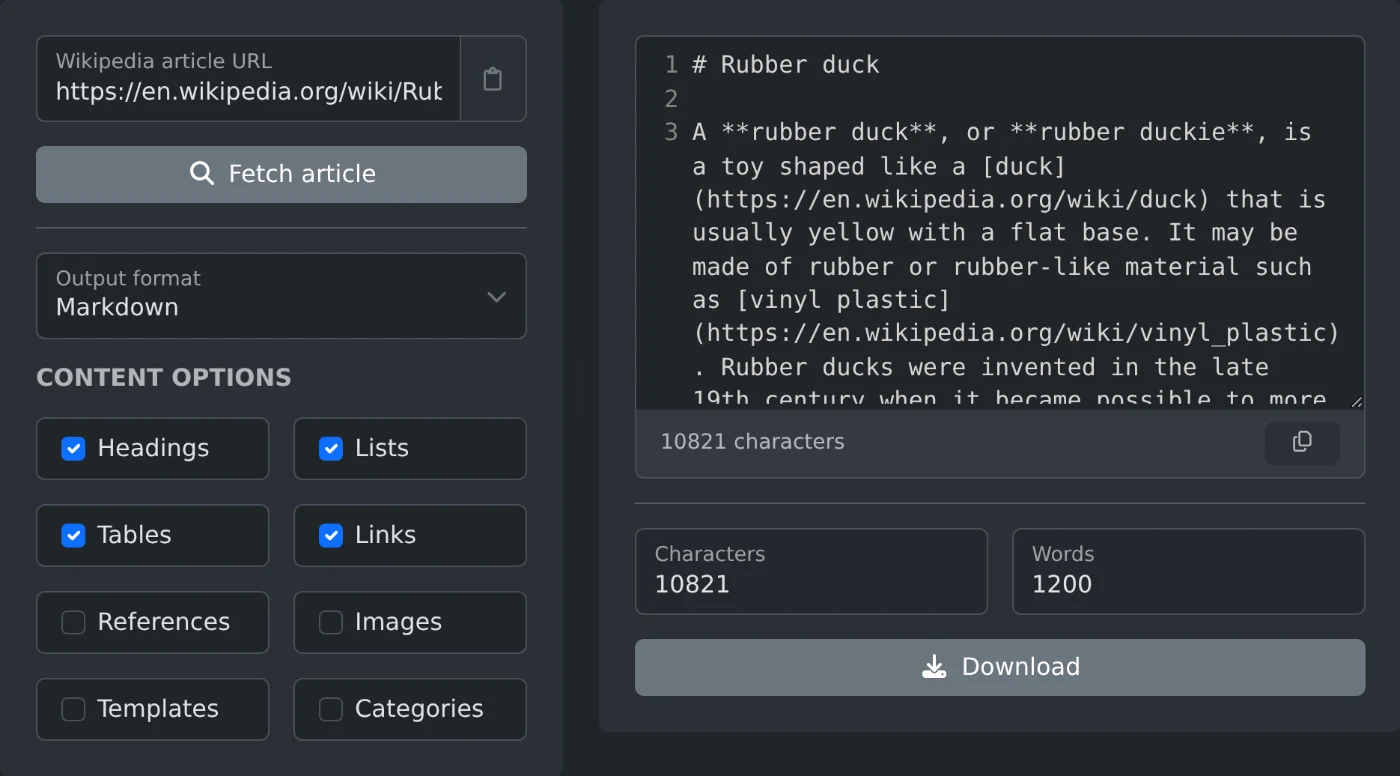
Um einen Wikipedia-Artikel herunterzuladen, füge seinen Link in den Wikipedia-Artikel-Extraktor ein. Klicke auf „Artikel abrufen“, wähle ein Format und klicke auf „Herunterladen“. Du erhältst eine saubere Datei, die nur den Artikeltext enthält. Bearbeitungslinks, Fußnotennummern und Navigationsmenüs werden weggelassen.
Die Seite von Hand zu kopieren, funktioniert nicht besonders gut. Du erhältst zwar den Text, aber auch die Infobox-Tabelle, jeden „[Bearbeiten]“-Link und eine Fußnotennummer nach jedem Satz. Das Bereinigen dauert länger, als den Artikel zu lesen.
So lädst du den Artikel herunter
- Füge den Link zum Artikel ein, zum Beispiel
https://en.wikipedia.org/wiki/Dog. - Klicke auf „Artikel abrufen“.
- Wähle unter „Ausgabeformat“ ein Format aus.
- Klicke auf „Herunterladen“ oder kopiere den Text aus der Vorschau.
Die Sprache ergibt sich aus dem Link. Ein Link von de.wikipedia.org oder ja.wikipedia.org führt zur jeweiligen Sprachversion. Du musst keine Einstellung ändern.
Welches Format solltest du wählen?
- Zum Offline-Lesen: PDF. Es behält die Überschriften bei und sieht aus wie ein gedruckter Artikel.
- Für Notizen oder einen Markdown-Editor: Markdown. Überschriften, Listen und Links bleiben erhalten.
- Für ein Skript oder einen Suchindex: reiner Text oder AST (JSON), wenn du die Struktur des Artikels benötigst.
- Für die exakte Quelle: roher Wikitext. Das ist der Text, den Wikipedia-Bearbeiter sehen.
Was soll enthalten sein?
Mit den Inhaltsoptionen legst du fest, was in die Datei aufgenommen wird. Standardmäßig enthält die Datei Überschriften, Listen, Tabellen und Links. Referenzen, Bilder, Vorlagen und Kategorien werden weggelassen. So erhältst du die sauberste Kopie zum Lesen. Aktiviere „Referenzen“, wenn du die Quellen benötigst.
Diese Optionen gelten für reinen Text, Markdown, HTML und PDF. Roher Wikitext und AST enthalten immer den vollständigen Artikel. Eine Zeichen- und Wortanzahl zeigt dir vor dem Herunterladen, wie umfangreich das Ergebnis ist.
Der Extraktor liest nur den öffentlichen Artikeltext und nimmt keine Änderungen an Wikipedia vor. Speichere vor deiner Reise ein paar Artikel, dann hast du etwas zu lesen, wenn du keine Internetverbindung hast.
Bereit, es selbst auszuprobieren?
Wikipedia-Artikel-Extraktor
Füge die URL eines Wikipedia-Artikels ein und erhalte den Seiteninhalt als sauberen Klartext, Markdown, HTML, rohen Wikitext oder geparsten Syntaxbaum.