How to Merge PDF Files into One Document
Combine two or more PDF files into one in your browser, put the pages in the order you want, and download the merged file.
Featured tool
PDF Birleştirici
Birden fazla PDF'yi tek bir dosyada birleştirin. PDF'leri yükleyin, sayfa küçük resimlerini istediğiniz sıraya sürükleyin, ardından birleştirip indirin. Tamamen tarayıcınızda çalışır.
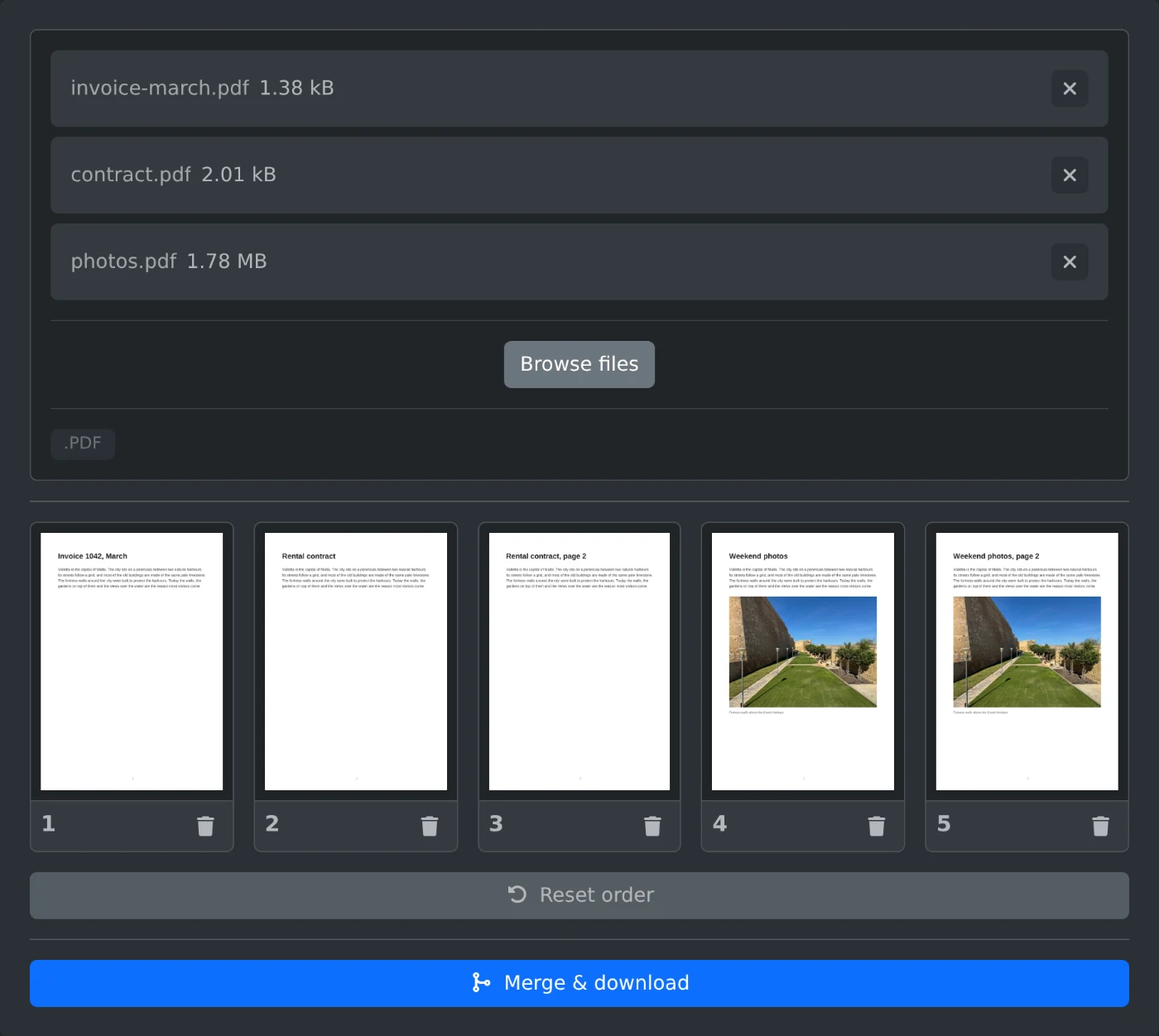
To merge PDF files, open the PDF merger and upload the files. Every page appears as a thumbnail. Put the pages in the order you want, then click "Merge & download". The files are read in your browser and are never uploaded.
How to merge the files
- Drop your PDF files onto the upload box, or click "Browse files" and pick them.
- Wait for the page thumbnails. The pages of every file appear in the order of the files.
- Drag a page to a new place to change the order.
- Click the trash icon under a page to leave it out.
- Click "Merge & download". The merged file is saved as
merged.pdf.
How to control the page order
The merged file follows the order of the thumbnails, not the order in which you picked the files. Drag pages between files to mix them, for example to put an invoice right after the contract it belongs to. "Reset order" puts every page back where it started.
What to leave out
You do not have to keep every page. Blank pages, cover sheets and duplicate pages can go. Click the trash icon under a page, and it is left out of the merged file. The original files on your computer are not changed.
Before you download
- Click a thumbnail to see the page at full size.
- Very large files take longer to show, since every page is drawn as a thumbnail.
- Page through the merged file once before you send it on.
Upload, sort, merge. That is all it takes.
Ready to try it yourself?
PDF Birleştirici
Birden fazla PDF'yi tek bir dosyada birleştirin. PDF'leri yükleyin, sayfa küçük resimlerini istediğiniz sıraya sürükleyin, ardından birleştirip indirin. Tamamen tarayıcınızda çalışır.