How to Add a Retro Film Date Stamp to Any Photo
Add the orange date stamp from old film cameras to a photo in your browser, and make it look real instead of pasted on.
Featured tool
Retro Fotoğraf Tarih Damgası
Eski film kameralarının bastığı tarih damgalarına benzer şekilde fotoğrafınıza parlak turuncu bir tarih damgası ekleyin. Fotoğrafın çekildiği tarihi kullanır; 7 segmentli veya nokta vuruşlu rakamlar sunar ve fotoğrafı tam boyutunda indirir.
To add a retro date stamp to a photo, use the retro photo date stamp. Upload the photo, check the date, and download the result. The default settings already look like a real film camera stamp, so most photos need no changes. Everything runs in your browser. The photo is never uploaded.
How to add the stamp
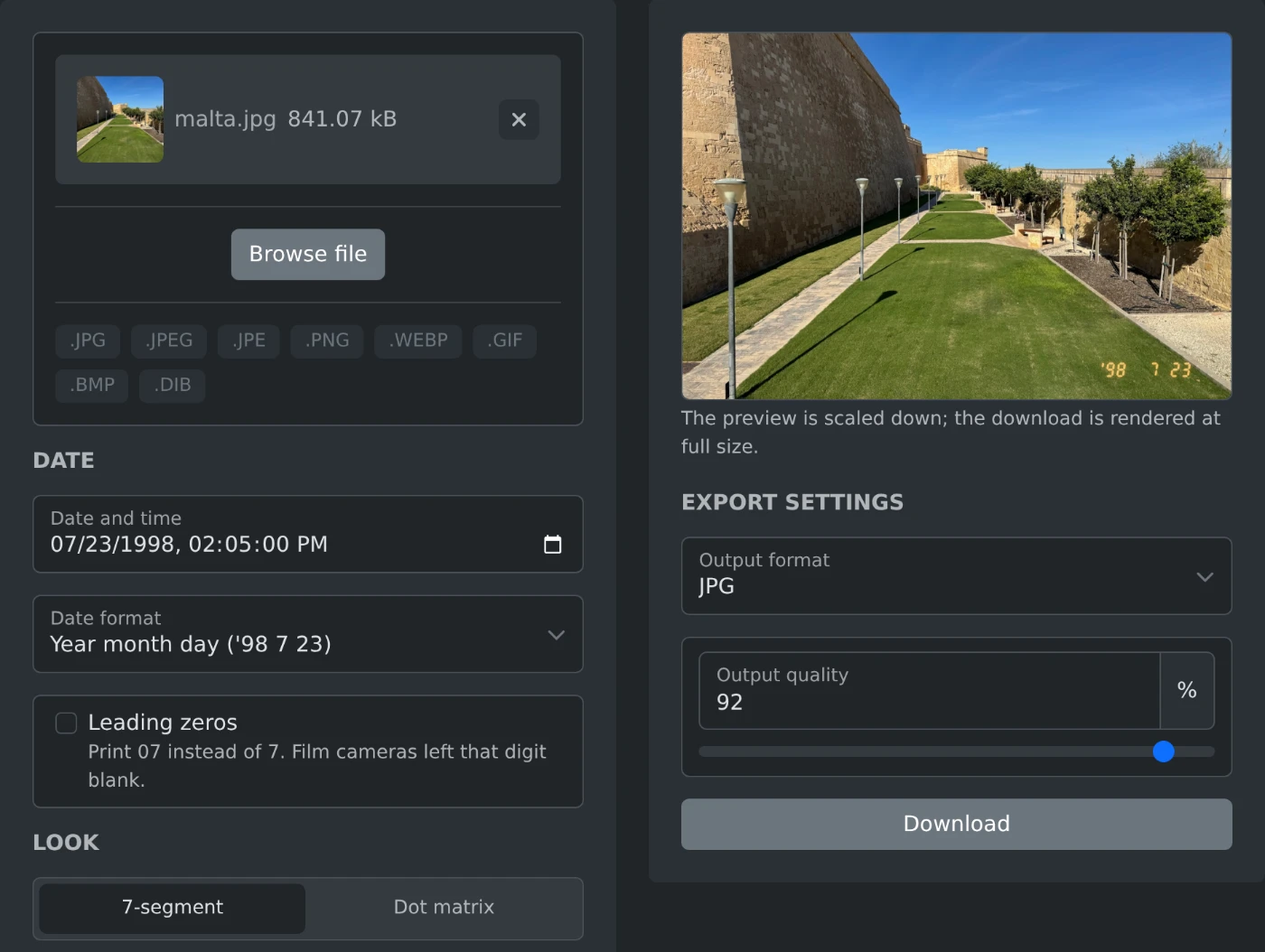
- Open the tool and drop your photo on it.
- Check the date. It comes from the photo file, and you can type any other date.
- Look at the preview and make sure the stamp is easy to see.
- Download the photo.
What makes the stamp look real
Many people try this in a photo editor first. They type the date in an orange font, and the result looks like a sticker. A real camera stamp has four small details:
- The year has two digits after an apostrophe, like '98.
- There are no leading zeros. July 23 prints as '98 7 23, with an empty space instead of a zero.
- The digits are seven segment numbers, like on a digital alarm clock, and they lean a little.
- The digits are made of light. They glow on dark areas and fade on bright areas.
The default settings have all four. The last one is the setting called "Blend like film". With it on, the digits look like part of the photo.
Where to place the stamp
The stamp is added as light, so it is hard to see on a bright sky or a white wall. Real film prints had the same problem. Before you download, check the corner:
- Use the Corner setting to move the stamp to a darker corner.
- Use the two distance sliders to move it away from the edge.
- If the photo has no dark corner, turn off "Blend like film". The digits become solid and show on any background.
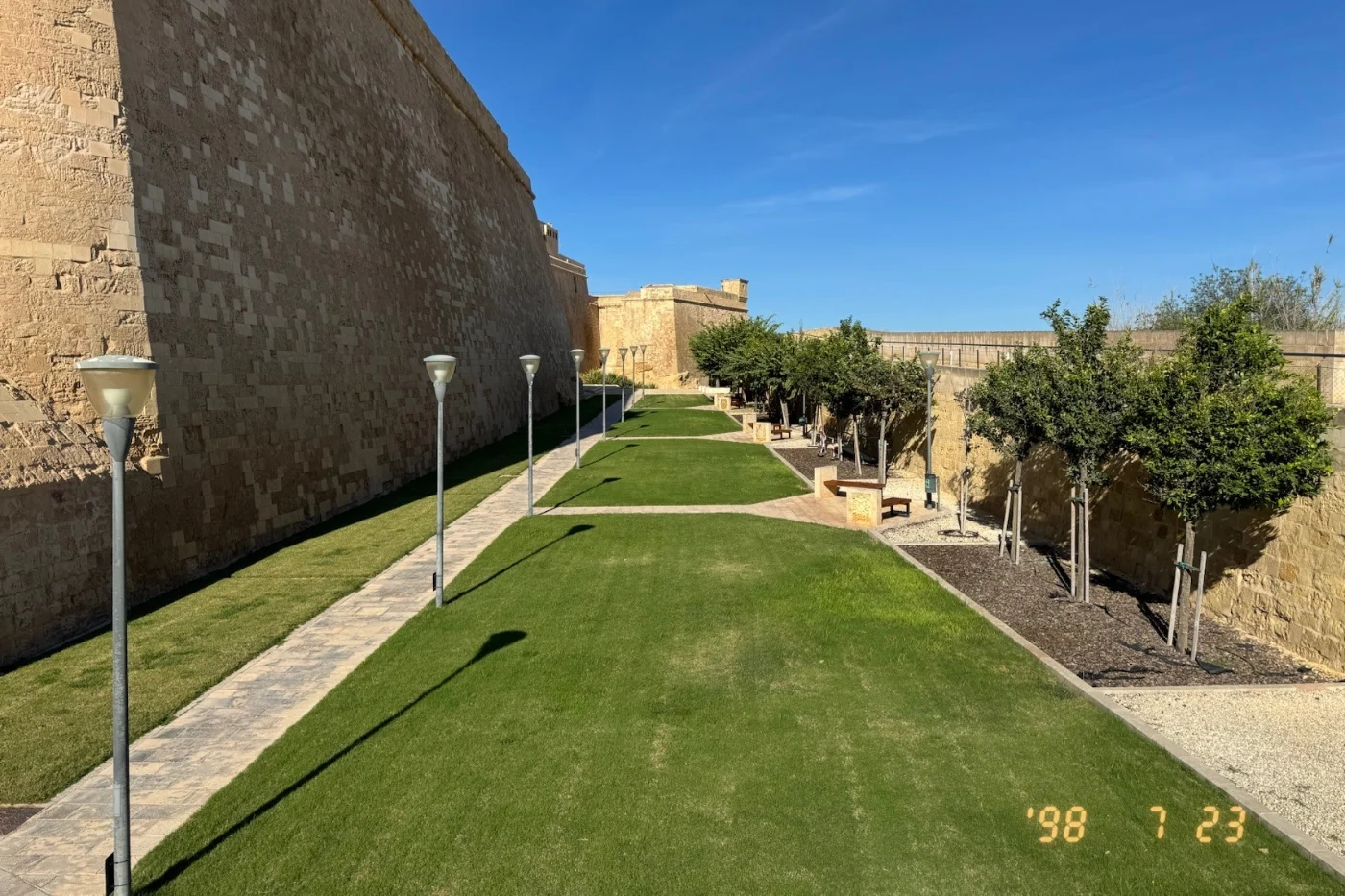
In the photo at the top, the stamp is a bit further from the side than the default. This way it sits on the grass and not on the light stone.
How to set the date
The date comes from the photo file, and a note under the date field says so. Photos saved from chat apps and social networks often have no capture date. Then the file date is used, and the note tells you that. In both cases you can type the correct date yourself.
The classic order is year, month, day. The Date format setting also has month first and day first.
You can also type any date you like. The photo at the top was not taken in 1998, and nobody can tell. The downloaded photo has no hidden data from the original file, so the real date and the location stay private.
That is all. Check the corner, check the date, and download.
Ready to try it yourself?
Retro Fotoğraf Tarih Damgası
Eski film kameralarının bastığı tarih damgalarına benzer şekilde fotoğrafınıza parlak turuncu bir tarih damgası ekleyin. Fotoğrafın çekildiği tarihi kullanır; 7 segmentli veya nokta vuruşlu rakamlar sunar ve fotoğrafı tam boyutunda indirir.