How to Remove Location and EXIF Data from a Photo
Remove the GPS location, camera model and date hidden in a photo before you share it. The clean copy is made in your browser.
2 min read
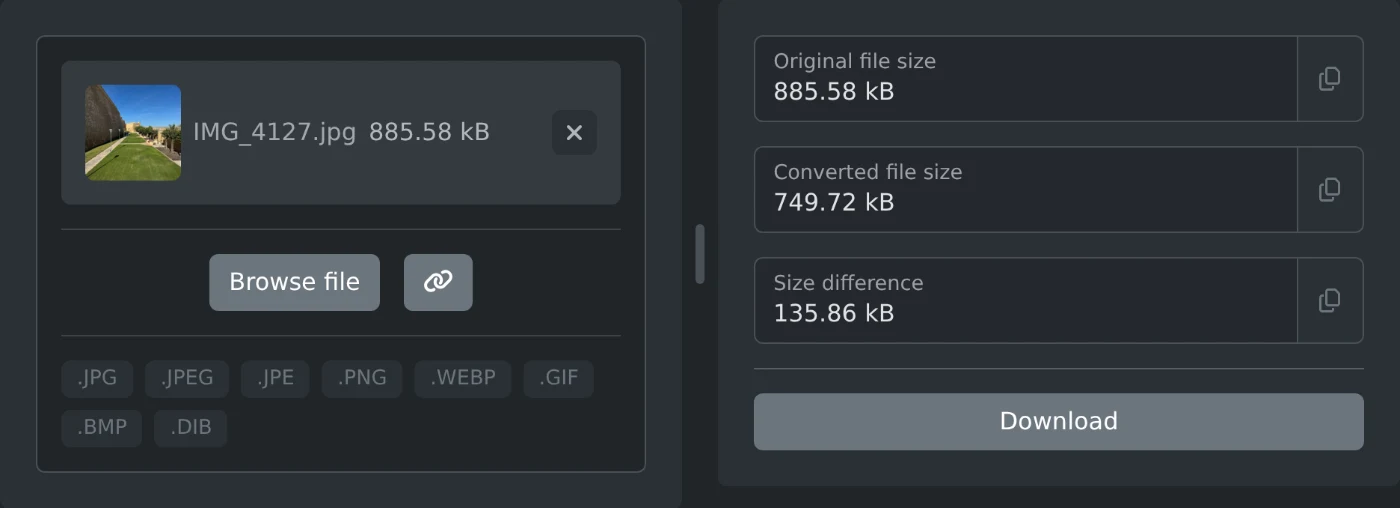
To remove the location from a photo, open the EXIF data remover and choose the photo. A clean copy is made right away. Click Download to save it. The clean copy has no GPS position, no camera model and no capture date. The photo is processed in your browser and is never uploaded.
A photo file can hold the place where it was taken. When you send the original file, the person who gets it can read that place.
How to clean the photo
- Click "Browse file" and choose the photo.
- Wait a moment. The original and the clean file sizes appear on the right.
- Click Download.
The file is saved with -clean added to its name, for example IMG_4127-clean.jpg. JPEG, PNG and WebP photos keep their format. GIF and BMP files are saved as PNG.
What gets removed
The photo is drawn again and saved as a new file. Only the picture is copied, so all the data stored with it is left behind:
- The GPS position.
- The camera or phone model and its settings.
- The date and time the photo was taken.
- Any other EXIF fields, such as the software name.
The photo in the screenshot had a GPS position in Gozo, Malta. Its clean copy has no EXIF data at all.
How to check a photo before and after
Open the photo GPS location viewer to see if a photo has a location and where it points. The Exif reader shows every field. Load the clean copy into either one to see that the data is gone.
Why the file size changes
A JPEG photo is saved again, so its size changes a little. It is often smaller, as in the screenshot above. It can also be a bit larger when the original was saved at a low quality. The "Size difference" field then shows a minus sign. In both cases the picture looks the same.
Before you share
- Send the clean file, not the original. Keep the original if you want the location in your own library.
- Clean one photo at a time. Choose the next photo when the first one is downloaded.
- An animated GIF becomes a still PNG.
Choose the photo, download the clean copy, and share that one.
Ready to try it yourself?
Usuwacz danych EXIF
Usuń metadane EXIF z obrazów i pobierz czyste kopie gotowe do udostępniania.