Wikipediaの記事をオフラインで読むためにダウンロードする方法
数回クリックするだけで、編集リンクや脚注番号のないWikipediaの記事をPDF、Markdown、プレーンテキストファイルとして保存できます。
3分で読めます
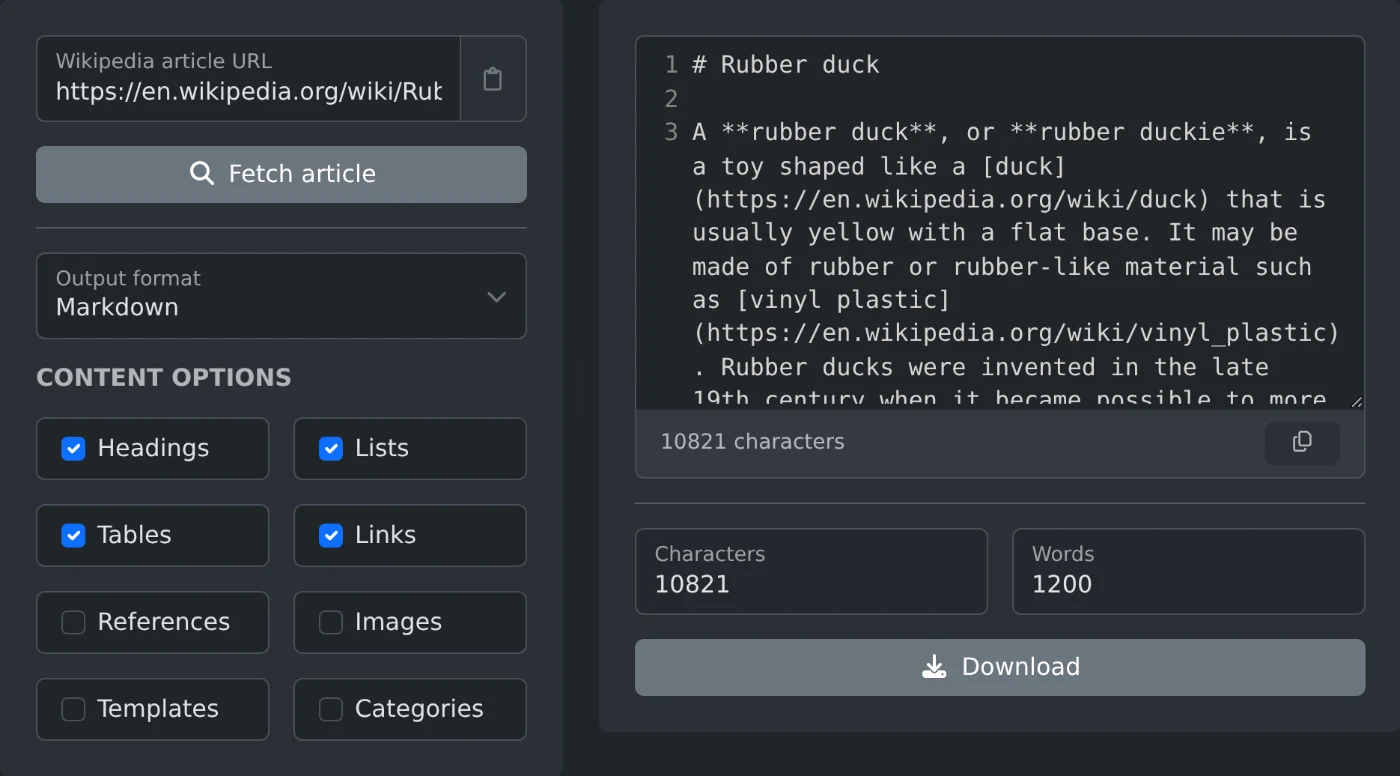
Wikipediaの記事をダウンロードするには、Wikipedia記事抽出ツールにリンクを貼り付けます。「記事を取得」をクリックして形式を選び、「ダウンロード」をクリックしてください。記事本文だけを含む、すっきりしたファイルが作成されます。編集リンク、脚注番号、ナビゲーションメニューは含まれません。
ページを手作業でコピーしてもうまくいきません。本文だけでなく、情報ボックスの表やすべての「[編集」リンク、各文の後にある脚注番号までコピーされます。これらを取り除くには、記事を読むより時間がかかります。
記事をダウンロードする方法
- 記事のリンクを貼り付けます。例:
https://en.wikipedia.org/wiki/Dog - 「記事を取得」をクリックします。
- 「出力形式」から形式を選びます。
- 「ダウンロード」をクリックするか、ビューアからテキストをコピーします。
言語はリンクから判定されます。de.wikipedia.orgやja.wikipedia.orgのリンクを使うと、その言語版の記事を取得できます。設定を変更する必要はありません。
形式の選び方
- オフラインで読む場合:PDF。見出しが保持され、印刷した記事のように表示されます。
- メモやMarkdownエディターで使う場合:Markdown。見出し、リスト、リンクがそのまま保持されます。
- スクリプトや検索インデックスに使う場合:プレーンテキスト。記事の構造が必要ならAST(JSON)を選びます。
- 元のテキストが必要な場合:生のウィキテキスト。Wikipediaの編集者が見るテキストです。
含める内容
コンテンツのオプションで、ファイルに含める内容を選べます。初期設定では、見出し、リスト、表、リンクが保持されます。脚注、画像、テンプレート、カテゴリは含まれません。これにより、読みやすい形でコピーできます。出典が必要な場合は、「参照」をオンにしてください。
これらのオプションは、プレーンテキスト、Markdown、HTML、PDFで使えます。生のウィキテキストとASTには、常に記事全体が含まれます。ダウンロード前に、文字数と単語数で出力のサイズを確認できます。
この抽出ツールは公開されている記事本文を読み取るだけで、Wikipedia上の内容は変更されません。出かける前に記事をいくつか保存しておけば、インターネットに接続できない場所でも読むことができます。
実際に試してみませんか?
Wikipedia記事抽出ツール
Wikipedia記事のURLを貼り付けると、ページの内容をクリーンなプレーンテキスト、Markdown、HTML、raw wikitext、または解析済みの構文木として取得できます。