उद्धरण छवि जनरेटर
सोशल मीडिया के लिए कस्टम पृष्ठभूमि, फ़ॉन्ट और स्टाइलिंग के साथ सुंदर उद्धरण छवियां बनाएं
इनपुट
आउटपुट
स्क्रीनशॉट्स
रीडमी
एक quote image क्या है?
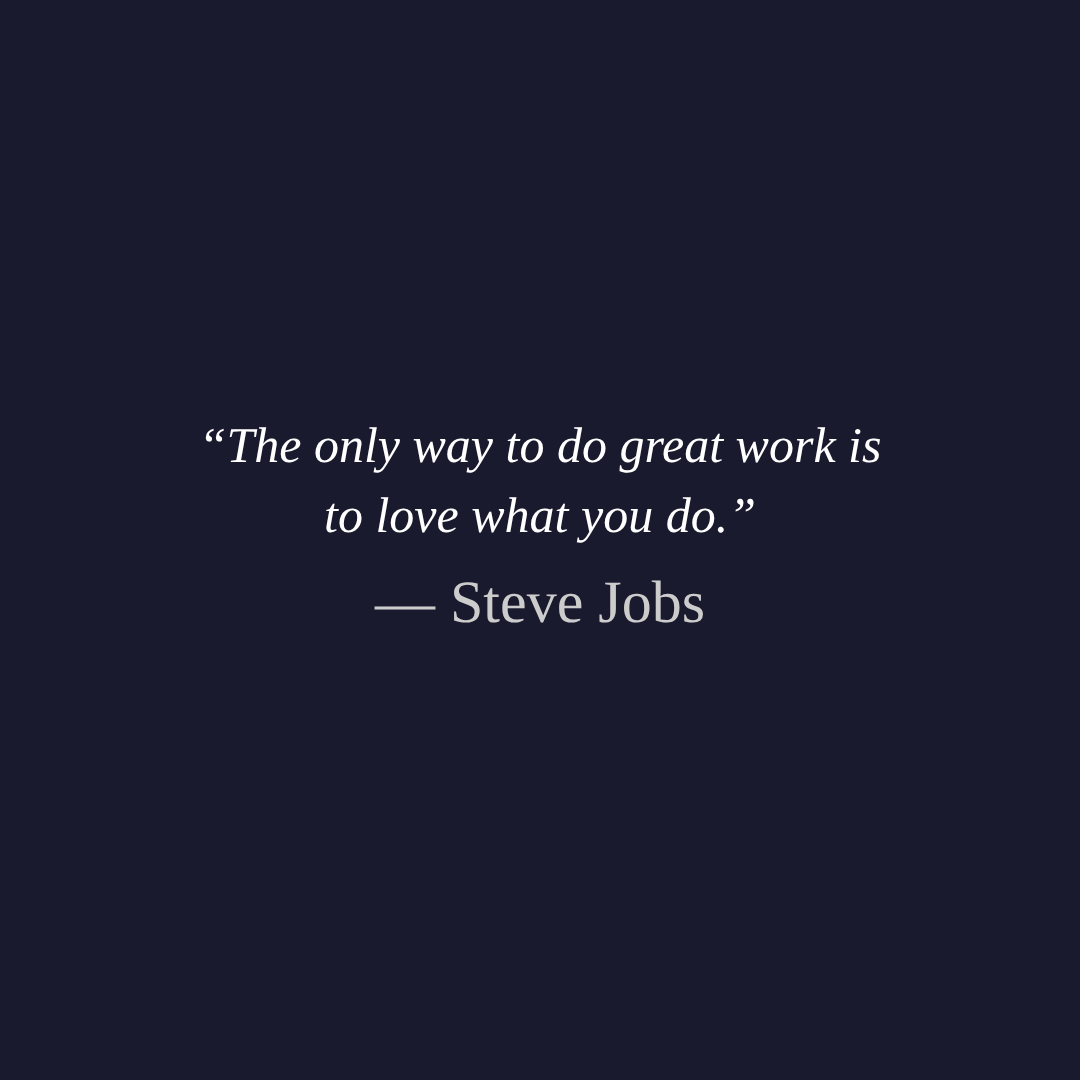
एक quote image एक visual graphic है जो एक memorable quote को appealing typography और background design के साथ जोड़ता है। ये images Instagram, Pinterest, Twitter, और Facebook जैसे social media platforms पर व्यापक रूप से साझा किए जाते हैं ताकि प्रेरणा दी जा सके, प्रेरित किया जा सके, या विचारों को एक visually engaging तरीके से व्यक्त किया जा सके। सादे text posts के विपरीत, quote images भीड़ भरे feeds में ध्यान आकर्षित करते हैं और save, share, और याद रखे जाने की संभावना बहुत अधिक होती है।
पेशेवर दिखने वाली quote images बनाने के लिए परंपरागत रूप से Photoshop या Canva जैसे graphic design software की आवश्यकता होती थी। एक quote image generator इस प्रक्रिया को सरल बनाता है क्योंकि यह आपको अपना quote type करने, styling options चुनने, और तुरंत result को preview करने देता है — कोई design skills की आवश्यकता नहीं है।
Tool विवरण
यह Quote Image Generator आपके browser में सीधे सुंदर, shareable quote graphics बनाता है। अपना quote और author name दर्ज करें, colors, fonts, alignment, और sizing को customize करें, फिर finished image को download करें। आप एक solid background color का उपयोग कर सकते हैं या अपनी own photo को backdrop के रूप में upload कर सकते हैं, text को readable रखने के लिए एक optional dark overlay के साथ। Live preview real time में update होता है जब आप settings को adjust करते हैं, इसलिए आप download करने से पहले हर detail को fine-tune कर सकते हैं।
उदाहरण
- Motivational post: एक प्रसिद्ध author द्वारा एक inspirational quote type करें, एक dark background पर बड़े size में एक bold font सेट करें, और Instagram के लिए तैयार एक 1080×1080 image download करें।
- Photo overlay: एक landscape photo upload करें, 50% opacity पर dark overlay को enable करें, और image के ऊपर white text में centered एक poetic quote जोड़ें।
- Minimalist design: एक solid pastel background पर Arial जैसे clean sans-serif font का उपयोग करें और एक modern, understated look के लिए quote marks को disable करें।
विशेषताएं
- Live preview — जब आप quote text, fonts, colors, alignment, और sizing को adjust करते हैं तो changes को तुरंत देखें
- Background image support — एक JPEG, PNG, या WebP photo को backdrop के रूप में upload करें automatic cover-fit scaling के साथ
- Dark overlay — text contrast को improve करने के लिए background images के ऊपर एक semi-transparent overlay जोड़ें, adjustable opacity के साथ
विकल्प समझाया गया
| विकल्प | विवरण |
|---|---|
| Quote text | image पर display करने के लिए मुख्य quote। Multi-line wrapping को support करता है। |
| Author | quote के नीचे दिखाया गया attribution line, एक em dash के साथ prefixed। |
| Background image | image backdrop के रूप में उपयोग की जाने वाली optional photo। जब set हो तो background color को override करता है। |
| Width / Height | pixels में canvas dimensions। Default 1080×1080 है, Instagram के लिए ideal। |
| Font | quote और author text दोनों के लिए typeface। छह विकल्प: Georgia, Times New Roman, Arial, Verdana, Courier New, Trebuchet MS। |
| Text align | text का horizontal alignment — left, center, या right। |
| Quote font size | मुख्य quote text का font size (16–120 px)। |
| Author font size | author attribution का font size (12–80 px)। |
| Padding | canvas edge और text area के बीच inner spacing (20–200 px)। |
| Text color | मुख्य quote text का color। |
| Author color | author name का color। |
| Background color | जब कोई image upload नहीं किया जाता है तो quote के पीछे solid fill। |
| Show quote marks | quote text के चारों ओर curly quotation marks (" ") को toggle करें। |
| Dark overlay | background image के ऊपर एक semi-transparent black layer जोड़ता है। केवल तब उपलब्ध है जब एक image upload किया जाता है। |
| Overlay opacity | overlay की darkness को control करता है (0–100%)। |
| Output format | download के लिए file type: PNG (lossless), JPEG, या WebP। |
| Quality | JPEG और WebP के लिए compression quality (1–100%)। PNG के लिए लागू नहीं। |
सुझाव
- Instagram posts के लिए, default 1080×1080 resolution का उपयोग करें। Stories के लिए, 1080×1920 को try करें।
- जब एक busy background photo का उपयोग कर रहे हों, तो overlay opacity को 60–70% तक बढ़ाएं ताकि text readable रहे।
- छोटे font sizes पर padding को बढ़ाएं ताकि quote को अधिक breathing room दिया जा सके और एक cleaner look मिले।
- visual hierarchy बनाने के लिए contrasting author और quote text colors का उपयोग करें — उदाहरण के लिए, white quote text के साथ एक light gray author name।
- PNG crisp text के लिए सर्वश्रेष्ठ है कोई compression artifacts के साथ; online साझा करते समय छोटे file sizes के लिए JPEG या WebP को 85–95% quality पर उपयोग करें।