Receipt Generator
Generate professional receipts with barcode support. Create customizable store receipts with item details, pricing, tax calculations, and various barcode formats (CODE128, EAN-13, UPC, etc.).
Input
Output
Screenshots
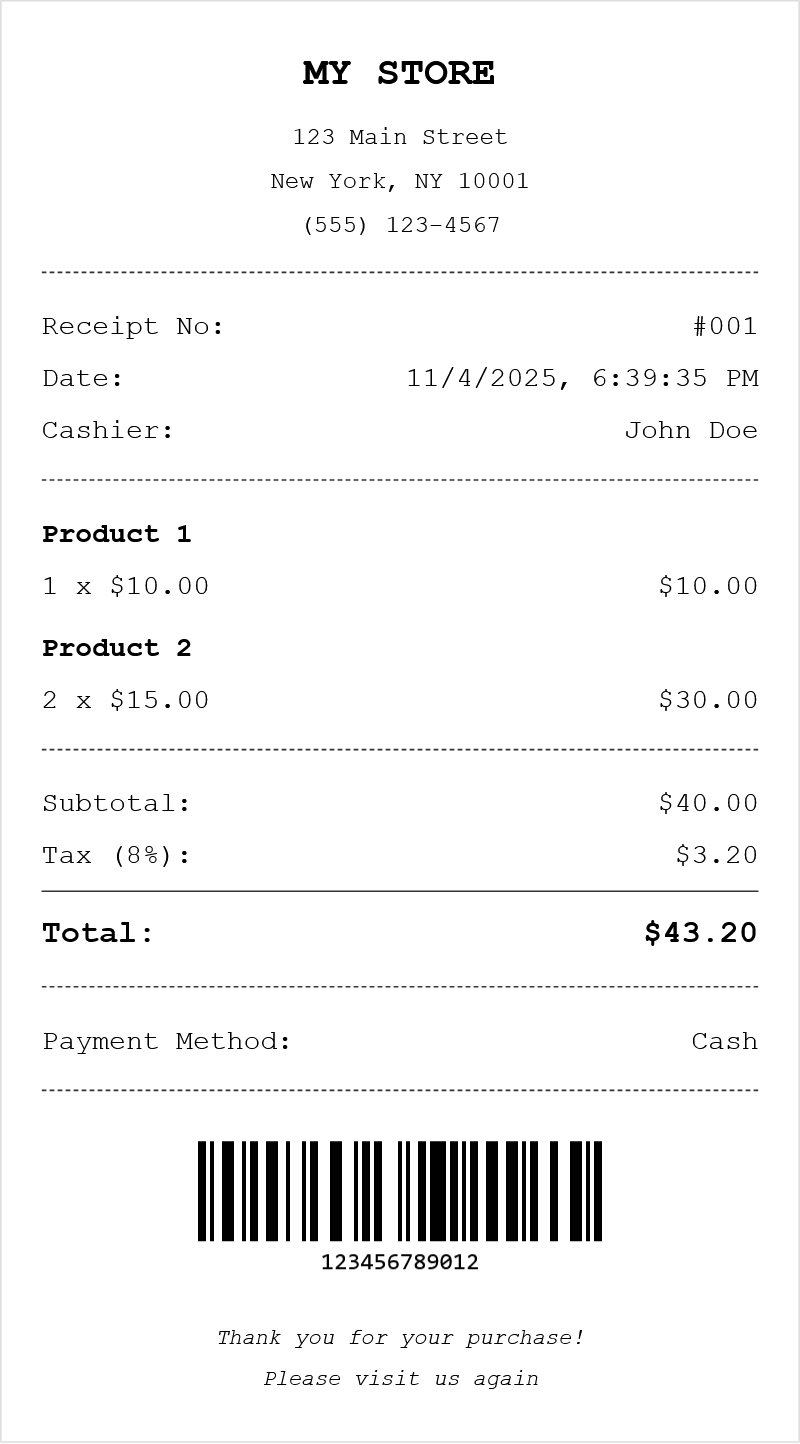
Readme
What is a receipt?
A receipt is a written acknowledgment that a specified amount of money, goods, or services has been received as payment. Receipts serve as proof of purchase for both businesses and customers, documenting transaction details such as items purchased, prices, taxes, payment method, and date. They play a crucial role in accounting, returns, warranty claims, and expense tracking.
Modern receipts typically follow a standardized format that includes the store name and contact information at the top, followed by an itemized list of purchases, subtotal, tax calculations, and the total amount. Many receipts also include barcodes for tracking purposes and personalized messages at the bottom.
Tool description
This receipt generator creates realistic-looking retail receipts with a classic thermal printer aesthetic. It allows you to customize every aspect of the receipt including store information, items with quantities and prices, tax rates, payment methods, and barcodes. The generated receipts can be downloaded as images or HTML files, or printed directly.
Features
- Complete store customization: Add store name, address, city, and phone number
- Flexible item management: Add unlimited items with name, quantity, and price fields
- Automatic calculations: Subtotal, tax, and total are calculated automatically
Options explained
| Option | Description |
|---|---|
| Store Name | The business name displayed at the top of the receipt |
| Store Address | Street address of the business |
| Store City | City, state/province, and postal code |
| Store Phone | Contact phone number |
| Receipt Number | Unique identifier for the transaction |
| Cashier | Name or ID of the employee processing the sale |
| Payment Method | How the customer paid (Cash, Credit, Debit, etc.) |
| Tax Rate | Percentage applied to the subtotal for tax calculation |
| Currency | The currency symbol and formatting for all prices |
| Barcode Value | The numeric or alphanumeric value encoded in the barcode |
| Barcode Format | The barcode standard used (affects valid input characters) |
| Footer Lines | Custom messages displayed at the bottom of the receipt |
Supported barcode formats
| Format | Description | Valid Characters |
|---|---|---|
| CODE128 | High-density barcode for alphanumeric data | All ASCII characters |
| EAN-13 | European Article Number, 13 digits | Numeric only (12 digits + check digit) |
| EAN-8 | Compact version of EAN-13 | Numeric only (7 digits + check digit) |
| UPC | Universal Product Code, 12 digits | Numeric only (11 digits + check digit) |
| CODE39 | Alphanumeric industrial barcode | A-Z, 0-9, and special characters |
| ITF-14 | Packaging and shipping barcode | Numeric only (14 digits) |
Tips
- Leave the barcode value empty if you don't want a barcode on the receipt
- Use realistic item names and prices for more authentic-looking receipts
- The tax rate field accepts decimal values for precise calculations (e.g., 8.25)
- Download as PNG image for best compatibility when sharing or printing externally
- The receipt automatically uses the current date and time when generated
FAQ
Can I add a store logo? Currently, the generator creates text-based receipts similar to thermal printer output. Logo support may be added in future updates.
Why does my barcode show an error? Different barcode formats have specific requirements. EAN-13 requires exactly 12 numeric digits, while CODE128 accepts any text. Check the supported formats table for valid characters.
How is tax calculated? Tax is calculated by multiplying the subtotal (sum of all item totals) by the tax rate percentage. The formula is: Tax = Subtotal × (Tax Rate / 100).