Adjustable Page Width
Choose how wide pages are on large screens
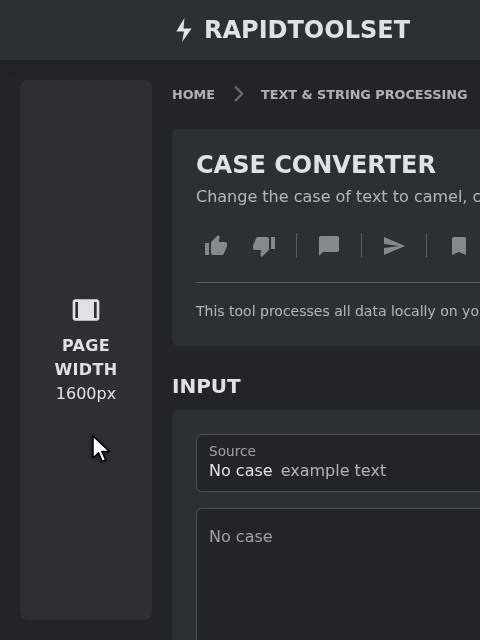
More room on large screens
Pages used to stop at 1320px wide, leaving much of a large monitor empty. They now grow with your screen up to 1600px, so tools with input and output side by side get more space.
Pick the width you like
Hover over the empty space to the left of the page content. A strip appears showing the current page width. Click it to switch between:
- 1600px: the new default, with the most room for tools
- 1320px: the previous width
In right-to-left languages the strip is on the right.
Remembered in your browser
Your choice applies to every page and is saved in your browser, so it's still there next time. It's applied before the page appears, so there's no jump on load. Each browser keeps its own setting.
Where it's available
The switch appears when there's room for it beside the page in every width: on screens at least 1840px wide, using a mouse or trackpad. On smaller screens it stays hidden, but the width you picked still applies.