Как скачать статью из Википедии для чтения офлайн
Сохраните любую статью из Википедии в формате PDF, Markdown или обычного текста за пару кликов — без ссылок на редактирование и номеров сносок.
2 мин чтения
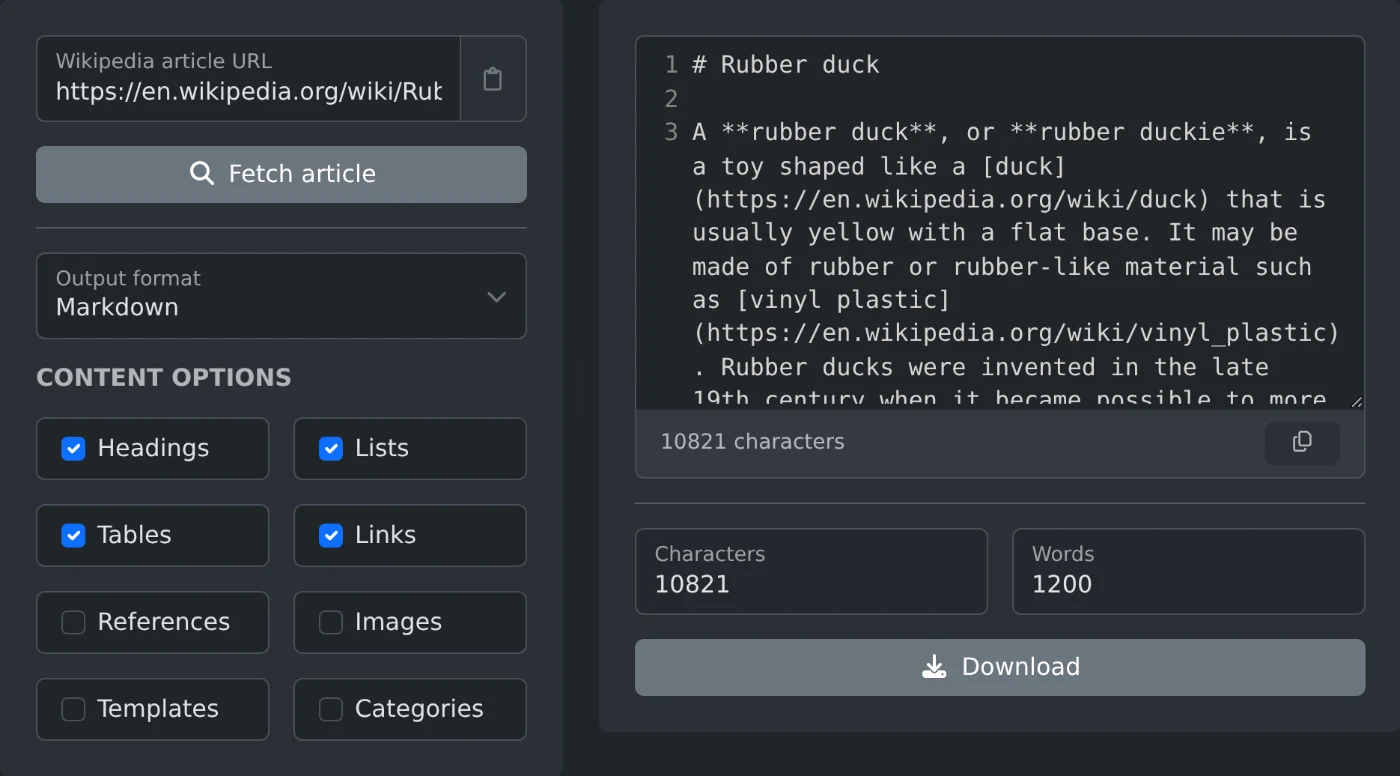
Чтобы скачать статью из Википедии, вставьте её ссылку в извлекатель статей Википедии. Нажмите «Загрузить статью», выберите формат и нажмите «Скачать». Вы получите чистый файл, в котором будет только текст статьи. Ссылок на редактирование, номеров сносок и меню навигации в нём не будет.
Копирование страницы вручную не очень удобно. Вместе с текстом вы получите таблицу-инфобокс, все ссылки «[править]» и номер сноски после каждого предложения. На очистку текста уйдёт больше времени, чем на чтение статьи.
Как скачать статью
- Вставьте ссылку на статью, например
https://en.wikipedia.org/wiki/Dog. - Нажмите «Загрузить статью».
- Выберите формат в разделе «Формат вывода».
- Нажмите «Скачать» или скопируйте текст из окна просмотра.
Язык определяется по ссылке. Ссылка с de.wikipedia.org или ja.wikipedia.org откроет соответствующую языковую версию. Менять настройки не нужно.
Какой формат выбрать
- Для чтения офлайн: PDF. В нём сохраняются заголовки, и он похож на распечатанную статью.
- Для заметок или Markdown-редактора: Markdown. Заголовки, списки и ссылки остаются без изменений.
- Для скрипта или поискового индекса: обычный текст или AST (JSON), если нужна структура статьи.
- Для получения исходного текста: сырой викитекст. Именно его видят редакторы Википедии.
Что включить
Параметры содержимого определяют, что попадёт в файл. По умолчанию в нём сохраняются заголовки, списки, таблицы и ссылки. Сноски, изображения, шаблоны и категории не включаются. Так получается наиболее чистая копия для чтения. Включите «Источники», если вам нужны ссылки на источники.
Эти параметры работают для обычного текста, Markdown, HTML и PDF. В сыром викитексте и AST всегда содержится полная статья. Перед скачиванием можно посмотреть количество символов и слов в результате.
Извлекатель считывает только общедоступный текст статьи и ничего не меняет в Википедии. Сохраните несколько статей перед поездкой — и вам будет что почитать без подключения к интернету.
Готовы попробовать сами?
Извлечение статей из Википедии
Вставьте URL статьи из Википедии и получите содержимое страницы в виде чистого обычного текста, Markdown, HTML, исходного викитекста или разобранного синтаксического дерева.