Näin lataat Wikipedia-artikkelin offline-käyttöön
Tallenna mikä tahansa Wikipedia-artikkeli PDF-, Markdown- tai pelkkänä tekstitiedostona muutamalla napsautuksella ilman muokkauslinkkejä ja alaviitteiden numeroita.
2 min lukuaika
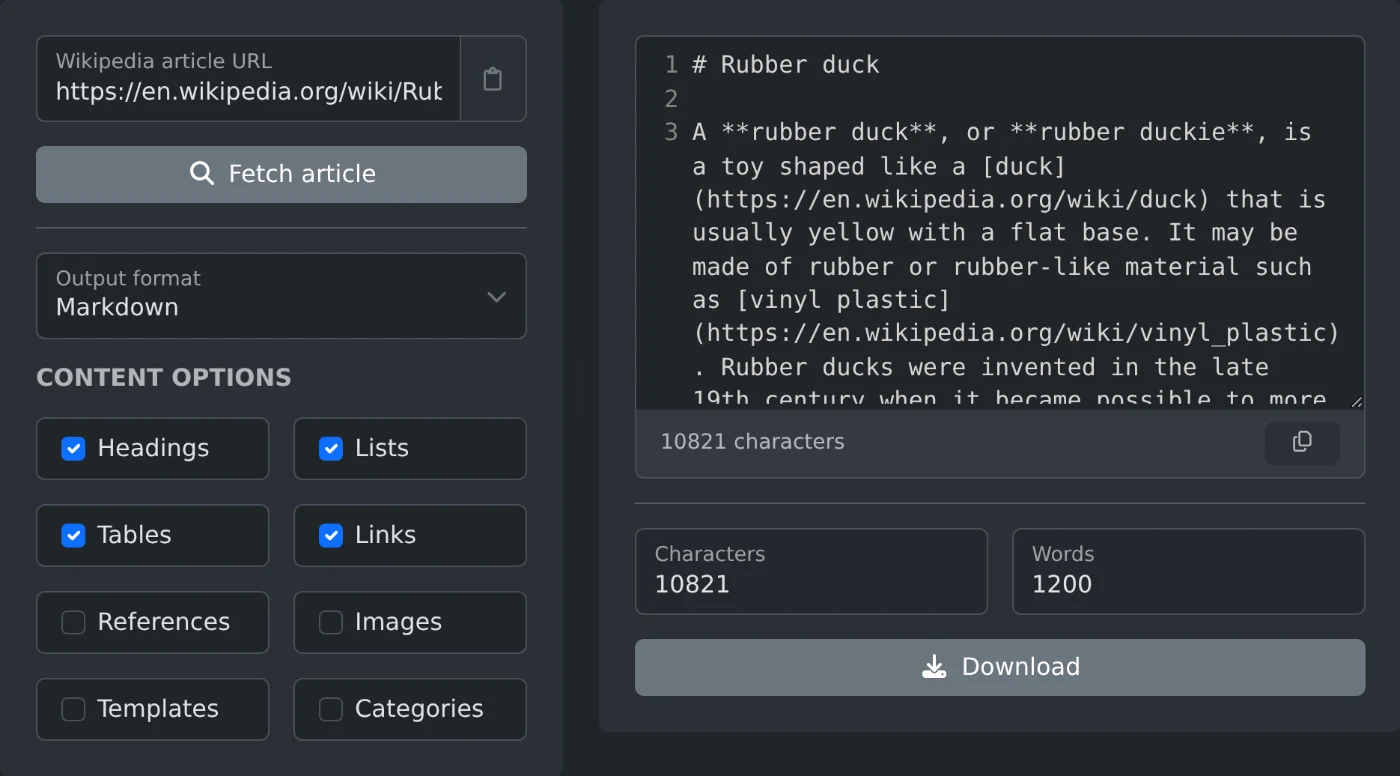
Lataa Wikipedia-artikkeli liittämällä sen linkki Wikipedia-artikkelien poimintatyökaluun. Napsauta ”Hae artikkeli”, valitse muoto ja napsauta ”Lataa”. Saat siistin tiedoston, jossa on vain artikkelin teksti. Muokkauslinkit, alaviitteiden numerot ja navigointivalikot jätetään pois.
Sivun kopioiminen käsin ei toimi kovin hyvin. Saat tekstin, mutta myös tietolaatikon taulukon, jokaisen ”[muokkaa]”-linkin ja alaviitteen numeron jokaisen virkkeen jälkeen. Siivoamiseen menee kauemmin kuin artikkelin lukemiseen.
Artikkelin lataaminen
- Liitä artikkelin linkki, esimerkiksi
https://en.wikipedia.org/wiki/Dog. - Napsauta ”Hae artikkeli”.
- Valitse muoto kohdasta Tulostusmuoto.
- Napsauta ”Lataa” tai kopioi teksti katselualueelta.
Kieli määräytyy linkin perusteella. Linkki osoitteesta de.wikipedia.org tai ja.wikipedia.org antaa kyseisenkielisen Wikipedia-version. Asetuksia ei tarvitse muuttaa.
Muodon valitseminen
- Offline-lukemiseen: PDF. Se säilyttää otsikot ja näyttää painetulta artikkelilta.
- Muistiinpanoihin tai Markdown-editoriin: Markdown. Otsikot, luettelot ja linkit säilyvät ennallaan.
- Skriptiin tai hakuindeksiin: pelkkä teksti tai AST (JSON), jos tarvitset artikkelin rakenteen.
- Alkuperäisen lähdetekstin saamiseen: raaka wikitext. Tämä on teksti, jonka Wikipedian muokkaajat näkevät.
Sisällön valitseminen
Sisältöasetuksilla päätät, mitä tiedostoon sisällytetään. Oletuksena tiedostoon jäävät otsikot, luettelot, taulukot ja linkit. Viitteet, kuvat, mallineet ja luokat jätetään pois. Näin saat selkeimmän version luettavaksi. Ota Lähteet käyttöön, jos tarvitset lähteet.
Nämä asetukset toimivat pelkän tekstin, Markdownin, HTML:n ja PDF:n kanssa. Raaka wikitext ja AST sisältävät aina koko artikkelin. Merkkien ja sanojen määrä näyttää tuloksen koon ennen lataamista.
Poimintatyökalu lukee vain julkisen artikkelitekstin, eikä Wikipediassa muuteta mitään. Tallenna muutama artikkeli ennen matkaa, niin voit lukea niitä ilman internetyhteyttä.
Haluatko kokeilla itse?
Wikipedia-artikkelien poiminta
Liitä Wikipedia-artikkelin URL-osoite ja hae sivun sisältö siistinä raakatekstinä, Markdownina, HTML:nä, raakawikitextinä tai jäsennettynä syntaksipuuna.