How to Make a Trivia Game Board Like Jeopardy
Write your own categories, questions and point values, then play the board on a big screen and keep score for up to eight teams.
3 min read
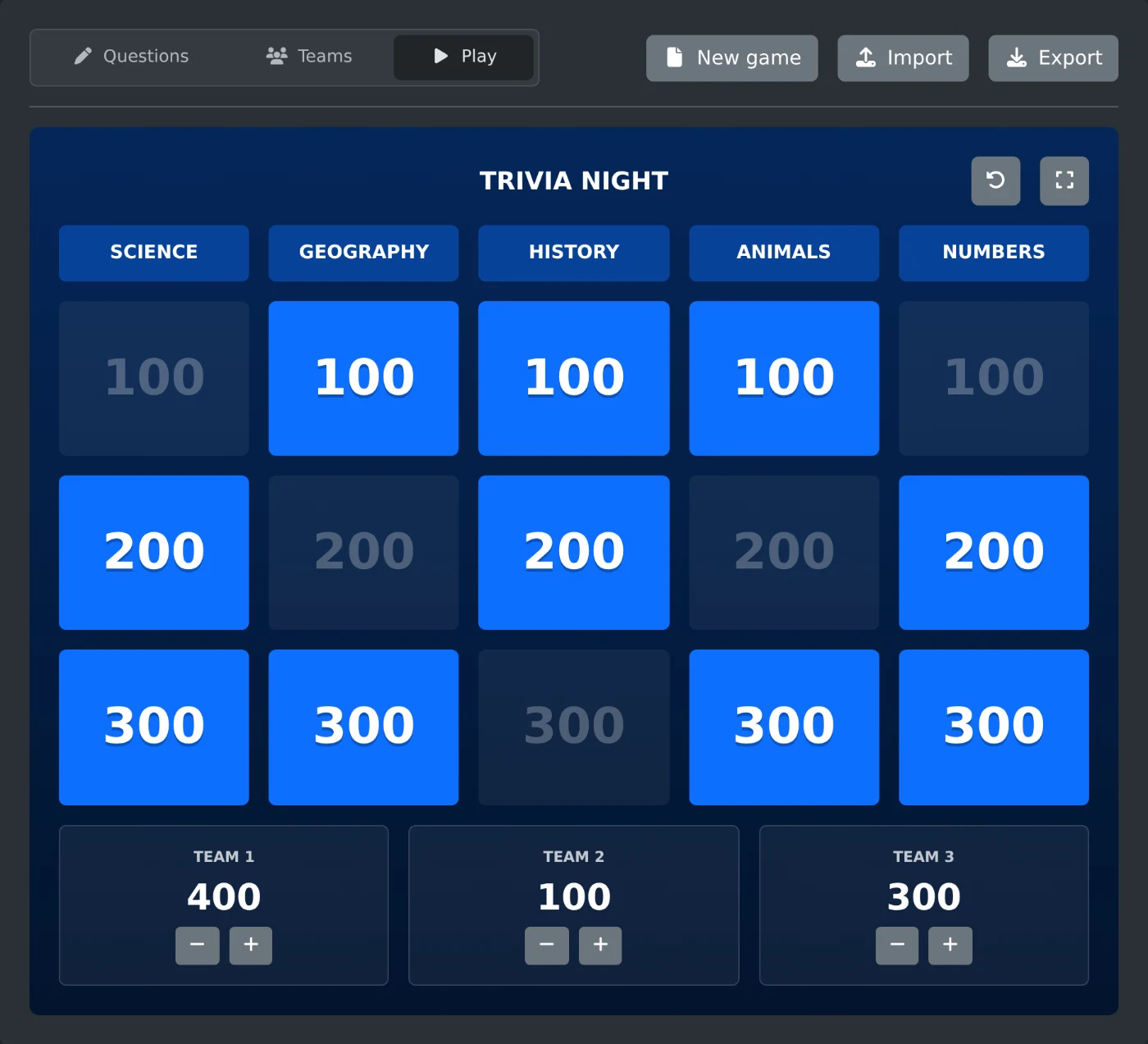
To make a trivia game board, open the trivia game board maker and click "New game". Write your categories, questions and answers on the Questions tab. Then open the Play tab and show the board on a big screen. The board and the scores are saved in your browser, so closing the tab does not lose them.
On your first visit you see an example game called "Trivia Night". It has five categories with three questions each. Play it once to see how the game works before you write your own.
How to set up the board
- Click "New game". You get an empty board with five categories and five questions per category, worth 100 to 500 points.
- Type a name in "Game title".
- Change "Categories" (1 to 8) and "Questions per category" (1 to 10) for a different size.
- Pick the values under "Points", for example 100 to 500 or 10 to 50.
- Click a square on the board. Type the category, the question and the answer in the fields below it.
- Repeat this for every square.
A square with a question but no answer shows "No answer". Fill those in before the game starts.
How to add pictures to questions
The question and the answer each have their own picture field. Add a JPG, PNG, WebP, GIF, BMP or AVIF file under 50 MB. Pictures larger than 1280 pixels are scaled down, so the saved game stays small.
During the game, the question shows its picture. When you show the answer, the answer picture takes its place. Use this for questions such as "What animal is this?" or "Where was this photo taken?".
How to add the teams
Open the Teams tab. A new board starts with three teams. Rename them, or click "Add team" for more, up to eight.
How to play the game
- Open the Play tab and click the full screen button in the top right corner of the board.
- A team picks a category and a value. Click that square to show the question.
- Click "Show answer".
- Click the check mark under each team that answered right, or the cross under each team that answered wrong.
- Click "Back to board".
A right answer adds the points of the square, and a wrong answer takes them away. Click a mark again to clear it. Played squares turn dark, and you can still open them again.
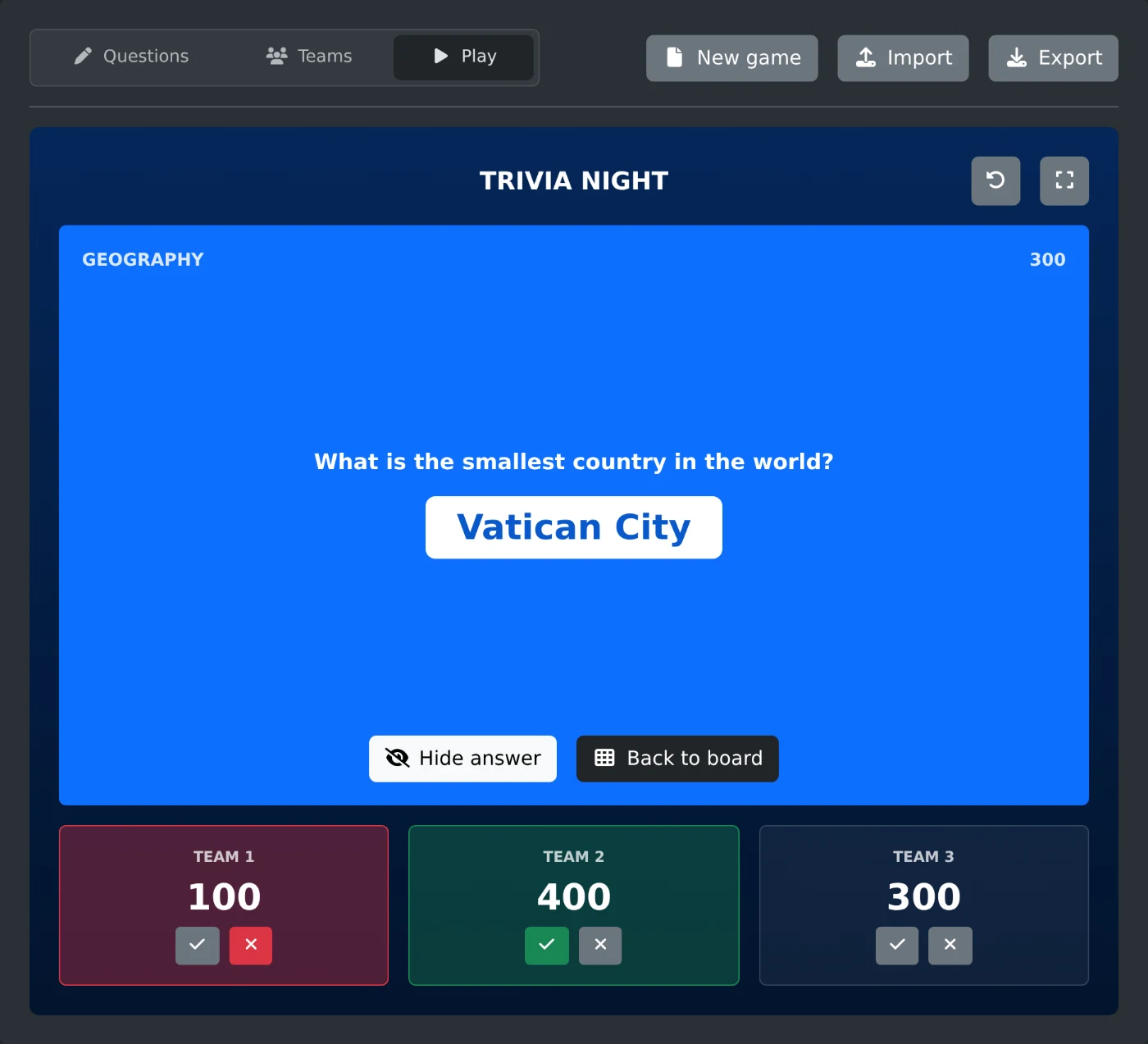
On the board, the minus and plus buttons under each score change it by the lowest value on the board. Use them for bonus points or to fix a mistake. The round arrow button above the board restarts the game. All scores go back to 0, every square can be played again, and the teams stay.
How to save the game for another computer
Click "Export" to download the game as a JSON file named after its title, such as Trivia-Night.json. The pictures are inside the file. On the other computer, click "Import" and choose the file.
Importing replaces the board on the screen and sets the scores back to 0. Export the current board first if you want to keep it.
Write the questions, name the teams, and switch to full screen when the players are ready.
Ready to try it yourself?
Criador de tabuleiros para jogos de perguntas e respostas
Crie um tabuleiro para um jogo de perguntas e respostas com categorias e pontuações, como em um programa de perguntas na TV. Adicione imagens às perguntas e respostas, acompanhe a pontuação das equipes, jogue em tela cheia e salve o jogo em um arquivo para reutilizar ou compartilhar.